
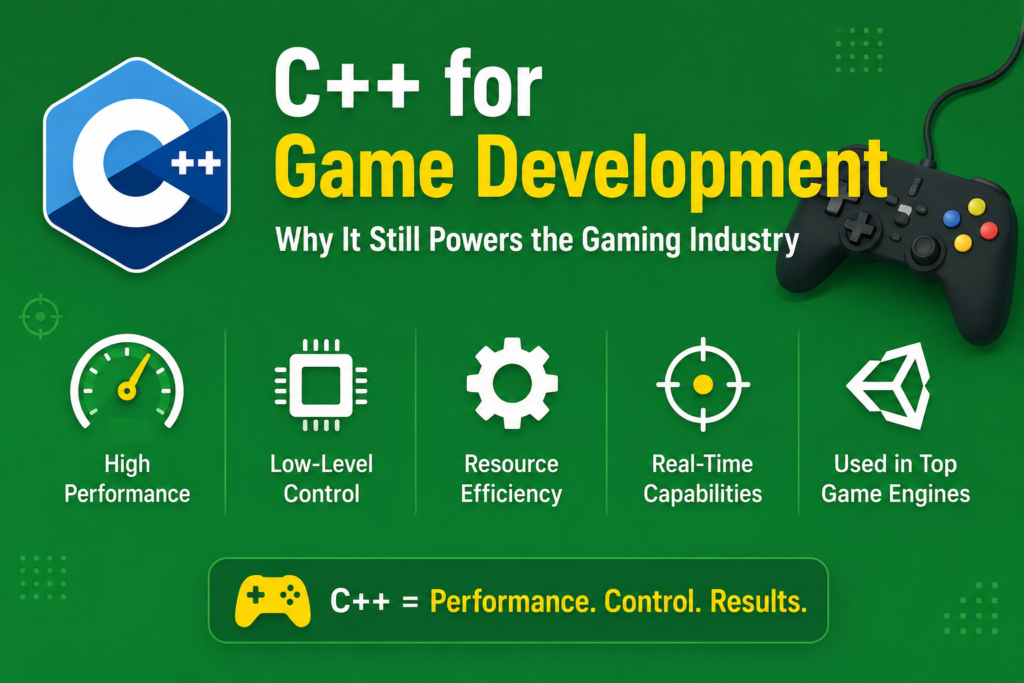
When you load up a AAA game and watch a photorealistic world render in real time at sixty frames per second, you are witnessing one of the most demanding feats of software engineering on the planet. Behind every explosion, every physics simulation, every character animation, and every ray-traced shadow is code. And overwhelmingly, that code is written in C++. c++ for game development is not just a historical accident or an industry habit. It is a deliberate, rational choice made by the world’s best game studios because no other language comes close to delivering the combination of performance, control, and flexibility that games demand.
This article explores why c++ for game development has remained dominant for decades, how it powers the engines and systems that run modern games, what real game code looks like, and how you can start your journey into game development with C++ today.
Why the Gaming Industry Chose C++ and Never Looked Back (1990 – 2000)
The relationship between C++ and game development stretches back to the early 1990s when games began demanding real-time performance that no other language could deliver. The shift from simple 2D sprite games to complex 3D environments created an insatiable appetite for raw processing power. Early 3D games like Quake and Doom, both written in C, pushed hardware to its absolute limits. As games grew more complex, developers needed the organizational power of object-oriented programming without sacrificing any performance, and C++ was the only language that offered both.
Bjarne Stroustrup designed C++ around the zero-overhead principle: you never pay a performance cost for language features you do not use. This philosophy is perfectly aligned with what game developers need. A game must be fast everywhere, all the time, and any unnecessary overhead is directly visible to the player as dropped frames, stuttering, or input lag.
By the mid-1990s, C++ had become the standard language for professional game development. Every major console game on PlayStation 1 and Nintendo 64 was built with C or C++. As console hardware grew more powerful through the PlayStation 2 and Xbox era, C++ grew with it, and the bond between c++ for game development and the games industry became unbreakable.
The Performance Argument: Why Games Cannot Afford Anything Less
c++ for game development is driven first and foremost by performance. A modern AAA game must process physics simulations for hundreds of objects, render complex 3D scenes with thousands of polygons, run artificial intelligence for dozens of enemies, process player input with microsecond precision, and manage audio, networking, and asset streaming, all simultaneously, sixty or more times per second.
That frame budget is roughly sixteen milliseconds for a sixty frames-per-second game. Every single system in the engine must complete its work within that window or the game stutters. There is no room for garbage collection pauses, interpretation overhead, or runtime type checking. Every instruction counts.
C++ compiles directly to native machine code that the processor executes without any intermediary layer. Memory layout can be optimized deliberately for cache efficiency. Low-latency operations are achievable because you control exactly where data lives in memory and how it is accessed. Hardware optimization is possible at a level that interpreted languages simply cannot reach.
Here is a simple example of a real-time game loop structure in C++:
#include <iostream>
#include <chrono>
using namespace std;

class GameEngine {
private:
    bool isRunning;
    float deltaTime;

public:
    GameEngine() : isRunning(true), deltaTime(0.0f) {}

    void processInput() {
        // Handle player input
        cout << "Processing input..." << endl;
    }

    void update(float dt) {
        // Update game state with delta time
        cout << "Updating game state. Delta: " << dt << "s" << endl;
    }

    void render() {
        // Render the current frame
        cout << "Rendering frame..." << endl;
    }

    void run() {
        auto previousTime = chrono::high_resolution_clock::now();

        while (isRunning) {
            auto currentTime = chrono::high_resolution_clock::now();
            deltaTime = chrono::duration<float>(currentTime - previousTime).count();
            previousTime = currentTime;

            processInput();
            update(deltaTime);
            render();

            // Exit after first iteration for demo
            isRunning = false;
        }
    }
};

int main() {
    GameEngine engine;
    engine.run();
    return 0;
}
This real-time game loop is the heartbeat of every game ever made. Process input, update the world, render the result, repeat. The delta time value ensures that game logic runs at the same speed regardless of frame rate, a technique every professional game developer uses. c++ for game development gives you the tools to build this loop with absolute precision.
Unreal Engine: The Crown Jewel of c++ for game development
No discussion of c++ for game development is complete without talking about Unreal Engine. Built by Epic Games and first released in 1998, Unreal Engine is the most powerful publicly available game engine in the world. It is written entirely in C++ and exposes a rich C++ API that developers use to build everything from indie games to the most graphically ambitious AAA titles in history.
Unreal Engine powers games like Fortnite, Gears of War, Mass Effect, Bioshock, Borderlands, and countless others. It handles rendering through DirectX and Vulkan, provides a complete physics engine, includes advanced artificial intelligence systems, supports photorealistic ray-traced lighting, and manages asset streaming for open-world games with gigabytes of content. All of this is built in C++ and runs at extraordinary efficiency because of it.
Here is a basic example of what a custom C++ Actor class looks like in Unreal Engine:
// MyGameCharacter.h
#pragma once
#include "CoreMinimal.h"
#include "GameFramework/Character.h"
#include "MyGameCharacter.generated.h"

UCLASS()
class MYGAME_API AMyGameCharacter : public ACharacter {
    GENERATED_BODY()

public:
    AMyGameCharacter();

    UPROPERTY(EditAnywhere, BlueprintReadWrite, Category = "Stats")
    float Health;

    UPROPERTY(EditAnywhere, BlueprintReadWrite, Category = "Stats")
    float MaxHealth;

    UFUNCTION(BlueprintCallable, Category = "Combat")
    void TakeDamage(float DamageAmount);

    UFUNCTION(BlueprintCallable, Category = "Combat")
    bool IsAlive() const;

protected:
    virtual void BeginPlay() override;

public:
    virtual void Tick(float DeltaTime) override;
};

// MyGameCharacter.cpp
#include "MyGameCharacter.h"

AMyGameCharacter::AMyGameCharacter() {
    PrimaryActorTick.bCanEverTick = true;
    MaxHealth = 100.0f;
    Health = MaxHealth;
}

void AMyGameCharacter::BeginPlay() {
    Super::BeginPlay();
}

void AMyGameCharacter::Tick(float DeltaTime) {
    Super::Tick(DeltaTime);
}

void AMyGameCharacter::TakeDamage(float DamageAmount) {
    Health = FMath::Max(0.0f, Health - DamageAmount);
}

bool AMyGameCharacter::IsAlive() const {
    return Health > 0.0f;
}
This is real Unreal Engine C++ code. The UPROPERTY and UFUNCTION macros integrate with Unreal’s reflection system, allowing properties to be edited in the editor and functions to be called from Blueprints. This kind of deep integration between C++ code and engine systems is what makes Unreal Engine so productive and powerful for professional game developers.
Game Physics Programming in C++
One of the most computationally demanding parts of any game is the physics system. Realistic physics simulation requires solving complex mathematical equations for every physics-enabled object in the scene, every frame. Collision detection, rigid body dynamics, soft body simulation, fluid dynamics, and cloth simulation all require enormous amounts of floating-point computation performed with extremely tight time constraints.
#include <iostream>
#include <cmath>
using namespace std;

struct Vector3 {
    float x, y, z;

    Vector3(float x = 0, float y = 0, float z = 0) : x(x), y(y), z(z) {}

    Vector3 operator+(const Vector3& other) const {
        return Vector3(x + other.x, y + other.y, z + other.z);
    }

    Vector3 operator*(float scalar) const {
        return Vector3(x * scalar, y * scalar, z * scalar);
    }

    float magnitude() const {
        return sqrt(x*x + y*y + z*z);
    }

    void print() const {
        cout << "(" << x << ", " << y << ", " << z << ")" << endl;
    }
};

class RigidBody {
public:
    Vector3 position;
    Vector3 velocity;
    Vector3 acceleration;
    float mass;

    RigidBody(Vector3 pos, float m) : position(pos), mass(m) {}

    void applyForce(Vector3 force) {
        acceleration = force * (1.0f / mass);
    }

    void update(float deltaTime) {
        velocity = velocity + acceleration * deltaTime;
        position = position + velocity * deltaTime;
    }

    void printState() const {
        cout << "Position: ";
        position.print();
        cout << "Velocity: ";
        velocity.print();
    }
};

int main() {
    RigidBody ball(Vector3(0, 10, 0), 1.0f);

    // Apply gravity
    ball.applyForce(Vector3(0, -9.8f, 0));

    cout << "Simulating ball fall:" << endl;
    for (int frame = 0; frame < 5; frame++) {
        ball.update(0.016f);  // 60fps = ~16ms per frame
        cout << "Frame " << frame + 1 << ": ";
        ball.printState();
    }

    return 0;
}
This simplified physics simulation shows how a rigid body moves under gravity. Real game physics engines like PhysX, Havok, and Bullet Physics, all written in C++, extend this concept to handle collision shapes, constraint solvers, continuous collision detection, and massive multi-body simulations running simultaneously. The mathematical precision and raw speed of C++ makes this level of real-time physics possible.
Memory Management in Game Engines
Memory footprints are a critical concern in game development. Consoles have fixed amounts of RAM. Players expect games to load quickly and run without hitches. Game developers using c++ for game development have direct control over every byte of memory their game uses, which is an advantage that no garbage-collected language can match.
#include <iostream>
#include <vector>
#include <memory>
using namespace std;

class GameObject {
public:
    string name;
    int id;
    bool isActive;

    GameObject(string n, int i) : name(n), id(i), isActive(true) {
        cout << "Created: " << name << endl;
    }

    ~GameObject() {
        cout << "Destroyed: " << name << endl;
    }

    void update(float deltaTime) {
        if (isActive) {
            // Update logic here
        }
    }
};

class GameObjectPool {
private:
    vector<unique_ptr<GameObject>> objects;
    int nextId;

public:
    GameObjectPool() : nextId(0) {}

    GameObject* createObject(string name) {
        objects.push_back(make_unique<GameObject>(name, nextId++));
        return objects.back().get();
    }

    void updateAll(float deltaTime) {
        for (auto& obj : objects) {
            obj->update(deltaTime);
        }
    }

    void destroyInactive() {
        objects.erase(
            remove_if(objects.begin(), objects.end(),
                     [](const unique_ptr<GameObject>& obj) {
                         return !obj->isActive;
                     }),
            objects.end()
        );
    }

    size_t getCount() const { return objects.size(); }
};

int main() {
    GameObjectPool pool;

    pool.createObject("Player");
    pool.createObject("Enemy_1");
    pool.createObject("Enemy_2");
    pool.createObject("Pickup_Health");

    cout << "Active objects: " << pool.getCount() << endl;

    pool.updateAll(0.016f);

    return 0;
}
Object pooling is one of the most fundamental memory optimization techniques in c++ for game development. Instead of constantly allocating and deallocating objects, which causes memory fragmentation and performance spikes, game engines pre-allocate pools of objects and reuse them. C++ gives developers complete control over this process, allowing the kind of precise memory management that keeps games running smoothly.
C++ for Game Development on Consoles: PlayStation and Xbox
Console game development is one of the most demanding and specialized forms of c++ for game development. PlayStation and Xbox development environments are entirely C++ based. Sony and Microsoft provide C++ SDKs for their platforms, and every game that ships on these consoles is built with C++ at its core.
Console hardware is fixed and known. Unlike PC games that must run on thousands of hardware combinations, a console game developer knows exactly what processor, GPU, and memory configuration the game will run on. This allows C++ developers to perform hardware optimization at a level that is simply not possible in any other environment. Developers can write code that exploits specific processor features, controls cache behavior precisely, and distributes work across the available CPU cores with exact timing.
PlayStation Xbox development studios employ C++ experts who specialize in squeezing every last frame from the hardware. These roles are among the most technically demanding and best compensated in the entire software industry. Mastering c++ for game development opens the door to these opportunities.
Graphics Rendering with DirectX and Vulkan in C++
Modern game graphics are rendered through graphics APIs like DirectX and Vulkan, both of which are designed specifically for use with C++. These APIs provide direct access to the GPU, allowing C++ code to command the graphics hardware with extraordinary precision.
// Simplified shader data structure example
#include <iostream>
#include <array>
using namespace std;

struct Vertex {
    float position[3];  // x, y, z
    float normal[3];    // nx, ny, nz
    float texCoord[2];  // u, v
    float color[4];     // r, g, b, a
};

struct Transform {
    float modelMatrix[16];
    float viewMatrix[16];
    float projectionMatrix[16];
};

class Mesh {
private:
    vector<Vertex> vertices;
    vector<unsigned int> indices;

public:
    void addVertex(float x, float y, float z,
                   float r, float g, float b, float a) {
        Vertex v;
        v.position[0] = x;
        v.position[1] = y;
        v.position[2] = z;
        v.color[0] = r;
        v.color[1] = g;
        v.color[2] = b;
        v.color[3] = a;
        vertices.push_back(v);
    }

    void addTriangle(unsigned int i0, unsigned int i1, unsigned int i2) {
        indices.push_back(i0);
        indices.push_back(i1);
        indices.push_back(i2);
    }

    size_t getVertexCount() const { return vertices.size(); }
    size_t getIndexCount() const { return indices.size(); }

    void printInfo() const {
        cout << "Mesh: " << vertices.size() << " vertices, "
             << indices.size() / 3 << " triangles" << endl;
    }
};

int main() {
    Mesh triangle;
    triangle.addVertex(-0.5f, -0.5f, 0.0f,  1.0f, 0.0f, 0.0f, 1.0f);
    triangle.addVertex( 0.5f, -0.5f, 0.0f,  0.0f, 1.0f, 0.0f, 1.0f);
    triangle.addVertex( 0.0f,  0.5f, 0.0f,  0.0f, 0.0f, 1.0f, 1.0f);
    triangle.addTriangle(0, 1, 2);
    triangle.printInfo();

    return 0;
}
This simplified example shows the data structures that underpin graphics rendering. In a real game, millions of vertices are submitted to the GPU every frame through DirectX or Vulkan calls, all orchestrated by C++ code. The graphics rendering C++ pipeline is one of the most technically complex and performance-sensitive areas in all of software development, and C++ is the only language capable of driving it at full speed.
c++ for game development and the STL
The C++ Standard Template Library is deeply integrated into professional game development workflows. For developers who want to explore the full toolkit available to game programmers, a comprehensive C++ STL guide covers the containers and algorithms that appear constantly in engine code.
Vectors store lists of game entities, components, and render commands. Maps associate string identifiers with loaded assets. Sets track unique active states. Priority queues implement event systems and AI behavior scheduling. The STL provides the foundational data structures that game engine architecture is built upon, and understanding it deeply is a prerequisite for serious c++ for game development work.
For anyone beginning their journey into game programming, mastering getting started with C++ first provides the language foundation that everything else builds upon. The jump from basic C++ to game development is significant but achievable with a structured approach.
C++ for Game Development in Modern Technology
In C++ in modern technology, c++ for game development remains the gold standard for interactive entertainment software. Beyond traditional games, C++ powers virtual reality experiences where frame latency must be kept below twenty milliseconds to prevent motion sickness. It drives augmented reality applications that must render virtual objects in perfect synchronization with the real world. It runs the simulation engines used in military training, flight simulation, and medical training software.
The rise of cloud gaming platforms has not diminished C++ dominance. Cloud game servers run the same C++ game engines that console and PC games use, streaming rendered frames to client devices. The server-side rendering still happens in C++, at the same demanding performance standards, just on data center hardware instead of home consoles.
Game development tools, asset pipeline software, level editors, shader compilers, and audio processing tools are all typically written in C++. The entire ecosystem around game development, not just the games themselves, depends on c++ for game development expertise.
Frequently Asked Questions
Why Is C++ Used for Game Development Instead of Other Languages?
c++ for game development dominates because games require real-time performance that no garbage-collected or interpreted language can consistently deliver. Games must run complex physics simulations, render detailed 3D graphics, process AI, and handle player input all within sixteen milliseconds per frame for a sixty fps experience. C++ compiles to native machine code, gives developers direct control over memory, and introduces zero overhead for unused features. No other language matches this combination for real-time interactive applications.
Can You Make Games With C++ as a Beginner?
Yes, but there is a learning curve. C++ is more complex than Python or JavaScript, but learning c++ for game development as a beginner is absolutely achievable with the right resources. Starting with a simple framework like SFML or SDL2, which provide accessible graphics and input handling built on C++, is a practical approach. As your skills grow, you can transition to Unreal Engine and tackle more ambitious projects. Many professional game developers started exactly this way.
What Is the Best Game Engine for C++ Game Development?
Unreal Engine is the most powerful publicly available engine for c++ for game development. It is industry-standard for AAA game development and provides a complete C++ API alongside its visual Blueprint scripting system. For smaller or indie projects, Godot now offers C++ bindings through GDNative. SDL2 and SFML are excellent for learning game development fundamentals in C++ without engine overhead. The best engine depends on the scale and type of game you want to build.
How Long Does It Take to Learn C++ for Game Development?
Learning the fundamentals of C++ syntax and object-oriented programming typically takes three to six months of consistent practice. Applying those skills to game development concepts like game loops, entity systems, and physics takes another six to twelve months of project-based learning. Becoming proficient with a professional engine like Unreal Engine requires additional time working through its specific systems and workflows. Most developers who commit seriously to c++ for game development reach a job-ready level within one to two years.
Do Console Games Use C++ Exclusively?
Console game development is almost exclusively C++ based. Sony and Microsoft provide C++ development kits for PlayStation and Xbox respectively. The game engines used on consoles, including Unreal Engine and proprietary studio engines, are written in C++. While some studios use scripting languages like Lua or Python for game logic on top of C++ engine foundations, the engine itself and all performance-critical systems are always in C++. For PlayStation Xbox development careers, C++ proficiency is a firm requirement.
Conclusion
c++ for game development is not a legacy choice or an industry inertia. It is the deliberate selection of the right tool for one of the most demanding software engineering challenges that exists. Games push hardware to its absolute limits, demand real-time performance with zero tolerance for hitches, and require direct control over memory and system resources that only C++ provides.
c++ for game development has powered the gaming industry through every generation of hardware, from the first 3D games of the 1990s to the photorealistic ray-traced worlds of today. It will continue to power the next generation of games, virtual reality experiences, and interactive simulations because the fundamental demands of real-time interactive software have not changed and will not change. Speed matters. Control matters. Efficiency matters.
If game development is your goal, learning C++ is not just a smart choice. It is the only choice that opens every door in the industry. Start with the fundamentals, build small games, study engine architecture, and work your way toward the tools and techniques that professional studios use every day. The journey is demanding, but the destination is one of the most exciting and creatively rewarding careers in the entire technology industry.

