If you have ever wondered what is a computer network, you are asking one of the most fundamental questions in modern technology. Every time you send a message, stream a video or browse a website, you are relying on a computer network working quietly in the background. Understanding what is a computer network helps you make sense of how the digital world actually functions.
In simple terms, a computer network is a group of connected devices that share data and resources with one another. This guide breaks down what is a computer network in plain language, covering its components, types and everyday importance for beginners.
Defining What Is a Computer Network
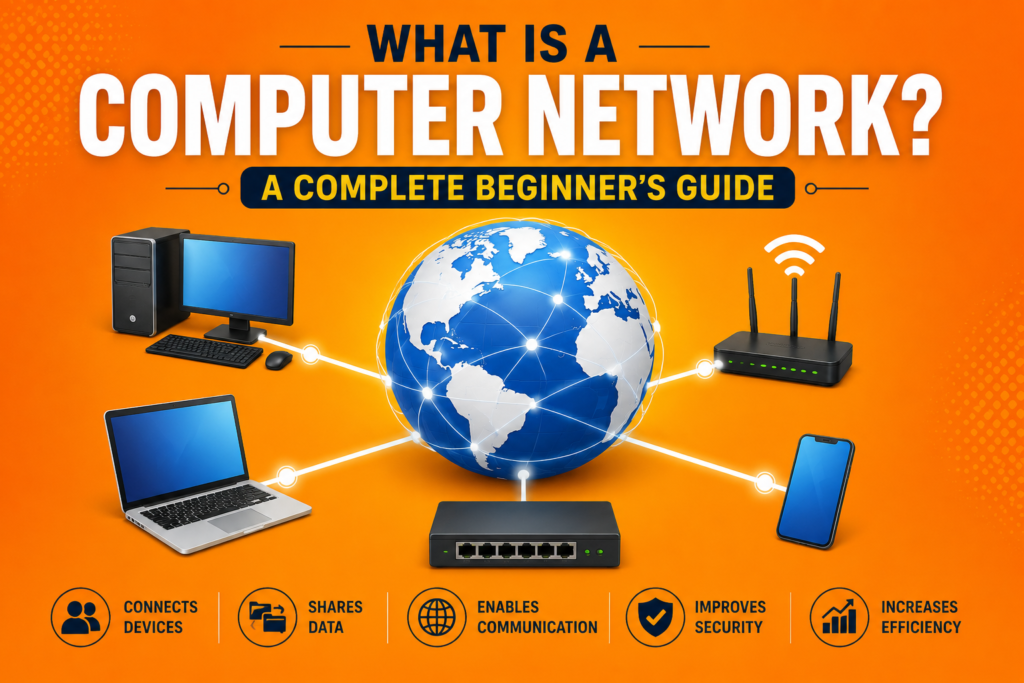
At its core, what is a computer network comes down to connection and communication. A computer network consists of two or more devices linked together, either physically through cables or wirelessly through radio signals, allowing them to exchange data. These devices, often called network nodes, can include computers, smartphones, printers, servers and routers.
Whether you are at home, in an office or using a public Wi-Fi connection, you are interacting with some form of a computer network. Data transmission between these nodes happens continuously, often without users even realizing how much activity is taking place behind the scenes.
Key Components of a Computer Network
To fully grasp what is a computer network, it helps to understand its essential building blocks. Every network relies on several key components working together seamlessly.
Devices such as computers, phones and tablets act as endpoints that send and receive data. A router directs traffic between devices and connects your local network to the wider internet. Switches and hubs help manage traffic within smaller local networks, ensuring data reaches the correct destination efficiently.
Every device connected to a network also requires an IP address explained simply as a unique numerical label that identifies it. Without an IP address, devices would have no way of knowing where to send or receive information accurately.
How Computer Networks Communicate
Once you understand what is a computer network, the next logical step is learning how communication actually happens. Data does not travel as one continuous stream. Instead, it gets broken into smaller units called packets of data, which travel independently across the network and reassemble at their destination.
This process relies heavily on network protocols, a set of rules that dictate how data is formatted, transmitted and received. One of the most important protocol suites is TCP/IP explained, which ensures that different types of networks and devices can communicate reliably, regardless of manufacturer or operating system.
Client Server and Peer to Peer Architecture
When exploring what is a computer network in more depth, it becomes important to understand different network architectures. In a client server model, one central server provides resources or services, while multiple client devices request and receive them. This structure is common in businesses and websites, where a central server manages requests from many users simultaneously.
In contrast, a peer to peer network allows devices to communicate directly with one another without relying on a central server. Each device, or peer, can act as both a provider and a requester of resources. Peer to peer networks are often used for file sharing and small scale local setups.
Types of Computer Networks Explained
There are several types of computer networks, each designed for different purposes and scales. A Local Area Network connects devices within a limited area, such as a home, school or office building. This is one of the most common setups for beginners learning what is a computer network for the first time.
Wide area networks, on the other hand, connect devices across much larger geographic distances, often spanning cities or countries. Understanding these differences helps clarify how networks scale from small home setups to massive global systems that form the backbone of internet infrastructure.
Wired Versus Wireless Networks
A major decision in network architecture for beginners involves choosing between wired and wireless connections. Comparing wired vs wireless networks, wired connections typically offer faster speeds and more stable performance, since data travels through physical cables like Ethernet.
Wireless connections, however, provide flexibility and convenience, allowing devices to connect without physical cables. Most modern homes and offices use a combination of both, relying on wired connections for stability and wireless connections for mobility and ease of use.
Understanding the OSI Model in Networking
For those wanting a deeper technical understanding of what is a computer network, the OSI model explained provides a helpful framework. This model breaks network communication into seven distinct layers, from physical hardware to application level software.
Each layer serves a specific function, helping engineers design, troubleshoot and standardize networking systems across different devices and manufacturers. While beginners do not need to memorize every layer, understanding the general concept makes networking topics much easier to follow.
Network Topology and Structure
Network topology refers to how devices are physically or logically arranged within a computer network. Common topologies include star, bus and ring configurations, each with distinct advantages and limitations. A star topology, for example, connects all devices to a central hub, making it easier to identify and isolate problems.
Choosing the right network topology depends on factors like cost, scalability and reliability requirements. This is another key concept for beginner guide to networking resources, since topology directly affects how efficiently a computer network operates.
Why Network Security Matters
As more devices connect to shared networks, protecting them becomes essential. Network security involves using firewalls, encryption and monitoring tools to prevent unauthorized access and safeguard sensitive information.
Without proper security measures, computer networks become vulnerable to attacks that can compromise personal data or disrupt business operations. Understanding basic network security principles is an important part of learning what is a computer network safely and responsibly.
Everyday Examples of Computer Networks
Computer network examples exist all around us, often without much notice. Your home Wi-Fi connecting your phone, laptop and smart TV is a simple computer network. Office buildings often use larger, more complex networks connecting dozens or hundreds of devices to shared printers, servers and internet access points.
Even public Wi-Fi at coffee shops and airports represents a functioning computer network, allowing multiple users to share the same internet infrastructure simultaneously. These everyday examples make the concept of what is a computer network much easier to visualize and understand.
The Growing Importance of Cloud Networking
As businesses and individuals rely more on remote access, cloud networking has become an essential part of modern computer networks. Cloud networking allows users to access data, applications and computing power over the internet without maintaining physical hardware locally.
This shift has transformed how computer networks are designed, making them more scalable and flexible than ever before. Understanding cloud networking is increasingly important for anyone learning what is a computer network in today’s technology driven world.
Frequently Asked Questions (FAQs)
What is a computer network in simple words?
A computer network is a group of two or more connected devices that communicate and share data with one another, either through physical cables or wireless connections.
What are the main types of computer networks?
The most common types include Local Area Networks, which connect devices within a small area, and Wide Area Networks, which connect devices across larger distances, sometimes spanning entire countries.
What equipment is needed for a basic network setup?
A basic network setup typically requires devices like computers or phones, a router to manage traffic, and sometimes a switch or hub for connecting multiple devices within a local network.
Why is network security important?
Network security protects sensitive data and prevents unauthorized access to connected devices. Without proper security measures, computer networks become vulnerable to cyberattacks and data breaches.
Conclusion
Understanding what is a computer network lays the foundation for everything else in modern technology, from browsing the internet to using cloud based applications. From basic components like routers and IP addresses to more advanced concepts like network topology and security, computer networks power nearly every digital interaction we rely on daily.
As technology continues to evolve, computer networks will keep advancing, becoming faster, smarter and more secure. Whether you are a complete beginner or looking to deepen your understanding, grasping what is a computer network is an essential step toward understanding the digital world around you.