
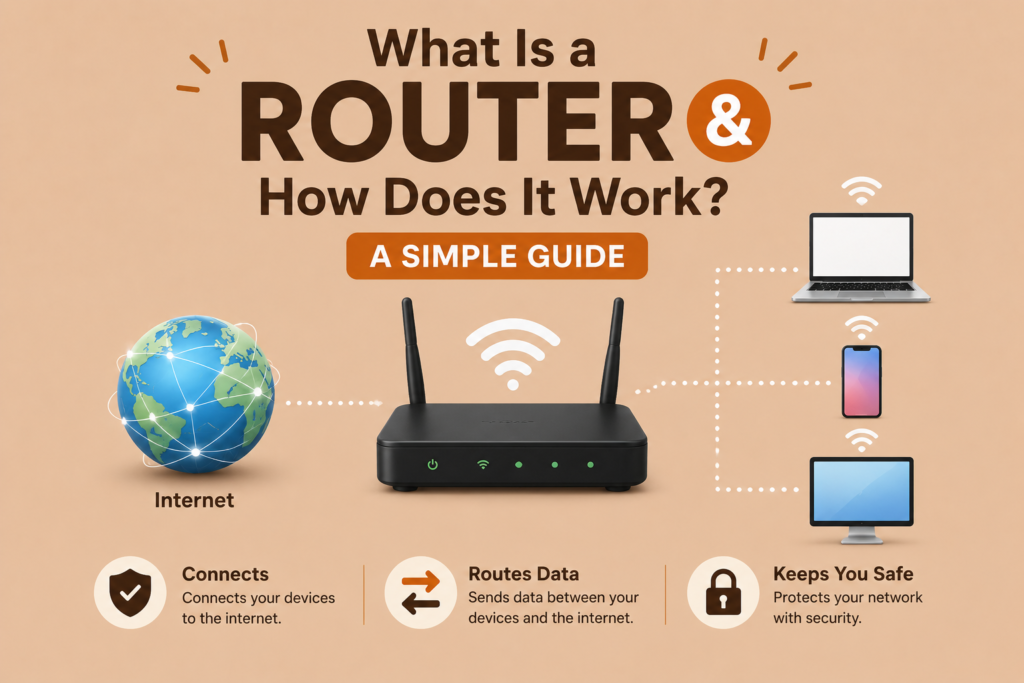
If you have a home Wi-Fi connection, you already own one of the most important devices in modern networking, even if you have never stopped to ask what is a router. This small box sitting quietly in the corner of your home plays a massive role in connecting your devices to the internet and to each other. Understanding what is a router helps explain why your internet sometimes slows down, drops connections or works flawlessly without a second thought.
In simple terms, a router directs data between devices on your network and the wider internet. This guide breaks down what is a router in plain language, covering how it works, its key features and why choosing the right one matters for everyday internet use.
Understanding What Is a Router
At its core, what is a router comes down to traffic direction. A router is a networking device that forwards data packets between different networks, most commonly connecting your home network to the internet provided by your Internet Service Provider. Without a router, individual devices would have no efficient way to share a single internet connection or communicate with one another locally.
Every device in your home, from laptops to smart speakers, relies on your router to manage data traffic efficiently. This makes understanding what is a router essential for grasping the basics of what is a computer network and how modern connectivity actually functions behind the scenes.
How a Router Actually Works
To fully understand what is a router, it helps to follow the journey of a single data packet. When you request a webpage, your router receives that request and examines the destination IP address routing information attached to the packet. It then determines the most efficient path for that data to travel, whether staying within your local network or heading out toward the broader internet.
This process relies heavily on a routing table, a constantly updated list of paths and destinations that helps the router make quick decisions. Understanding how a router works reveals just how much technical coordination happens within milliseconds every time you browse a website or stream a video.
Router Versus Modem: Clearing Up the Confusion
Many people mistakenly use the terms router and modem interchangeably, but they serve very different purposes. A modem connects your home network to your Internet Service Provider, translating signals between your provider and your local devices. A router, on the other hand, distributes that connection to multiple devices within your home, creating and managing your local network.
Understanding router vs modem differences helps clarify what is a router and its
specific role compared to other networking equipment. Many modern devices now combine both functions into a single unit, though understanding their separate responsibilities remains important for troubleshooting connectivity issues.
Router Ports and Their Functions
Every router includes several router ports explained by their specific purpose. The WAN port connects the router directly to your modem, receiving internet access from your provider. Meanwhile, multiple LAN ports allow you to connect wired devices directly to the router using Ethernet cables, offering more stable connections compared to wireless alternatives.
Understanding these ports helps users configure their home router setup guide correctly, ensuring devices connect properly whether through wired connections or wireless signals broadcast throughout the home.
Wireless Router Basics and Wi-Fi Signals
Most modern routers include built in wireless capabilities, broadcasting Wi-Fi signals that allow devices to connect without physical cables. These wireless router basics involve creating one or more SSIDs, the network names you see when searching for available Wi-Fi connections on your phone or laptop.
Many routers now offer dual-band router vs single-band options, allowing devices to connect using either a standard frequency band or a faster, less congested alternative. Choosing the right option often depends on the number of connected devices and specific bandwidth requirements within your home.
IP Addressing and DHCP in Routers
Every device connected to your router requires a unique identifier to communicate properly, which is where IP address explained concepts become relevant. Your router typically includes a built in DHCP server, automatically assigning private IP addresses to each connected device without requiring manual configuration.
This automated process ensures that laptops, phones and smart devices can all connect seamlessly, while your router maintains an organized system for directing traffic to the correct destination within your network.
Network Address Translation Explained
Since most homes only receive a single public IP address from their provider, routers rely on Network Address Translation to manage multiple devices sharing that same connection. This process allows your router to translate private IP addresses used within your home into the single public address recognized by the broader internet.
Understanding this translation process helps clarify what is a router truly accomplishing behind the scenes, efficiently managing traffic for potentially dozens of devices using just one internet connection from your provider.
Routing Tables and Dynamic Versus Static Routing
Routers rely on routing tables explained as organized lists containing information about various network paths and destinations. These tables help routers determine the most efficient route for data packets, often factoring in hop count and routing metric values to select the fastest available path.
Some networks use dynamic vs static routing methods, where dynamic routing automatically adjusts paths based on current network conditions, while static routing relies on manually configured, fixed paths. Larger networks typically benefit from dynamic routing due to its ability to adapt quickly to changing conditions.
Router Firmware and Security Settings
Keeping router firmware updated is essential for maintaining both performance and security. Manufacturers regularly release updates addressing vulnerabilities and improving overall functionality. Ignoring these updates can leave your network exposed to potential threats.
Most routers also include a built in network firewall, providing an additional layer of network security by filtering incoming and outgoing traffic. Adjusting home router settings to enable strong passwords and updated firmware significantly reduces the risk of unauthorized access to your network.
How to Choose a Router for Your Needs
When learning how to choose a router, several factors deserve consideration, including the size of your home, the number of connected devices and your typical internet usage habits. Larger homes often benefit from routers supporting extended range or mesh systems, while smaller apartments may only require basic wireless router basics without additional features.
Considering bandwidth allocation needs, particularly for households streaming video or gaming frequently, helps ensure you select a router capable of handling peak demand without frustrating slowdowns or dropped connections.
Core Routers Versus Edge Routers
While most people interact only with home routers, larger networks rely on more specialized equipment. A core router vs edge router comparison reveals different responsibilities within larger network infrastructures. Core routers handle high volume traffic within a network’s central infrastructure, while edge routers manage traffic entering or leaving the network, often connecting to external systems like the internet.
This distinction becomes particularly relevant for businesses and organizations relying on extensive internet infrastructure, where multiple router types work together to maintain efficient, reliable connectivity across large scale operations.
Frequently Asked Questions (FAQs)
What is a router in simple terms?
A router is a networking device that directs data traffic between your local devices and the internet, allowing multiple devices to share a single connection efficiently.
What is the difference between a router and a modem?
A modem connects your home to your Internet Service Provider, while a router distributes that internet connection to multiple devices within your home network.
Do I need both a router and a modem?
Most home setups require both a modem and a router, though many providers now offer combined devices that perform both functions within a single unit.
How often should I update my router firmware?
You should update your router firmware whenever new updates become available, as these updates often address security vulnerabilities and improve overall network performance.
Conclusion
Understanding what is a router reveals just how much this small device accomplishes behind the scenes, from directing data packets to managing multiple connected devices efficiently. From routing tables and DHCP to firmware updates and security settings, routers play an essential role in modern connectivity.
As home networks continue growing more complex with additional smart devices, understanding what is a router remains valuable knowledge for anyone hoping to maintain a fast, secure and reliable internet infrastructure at home.