
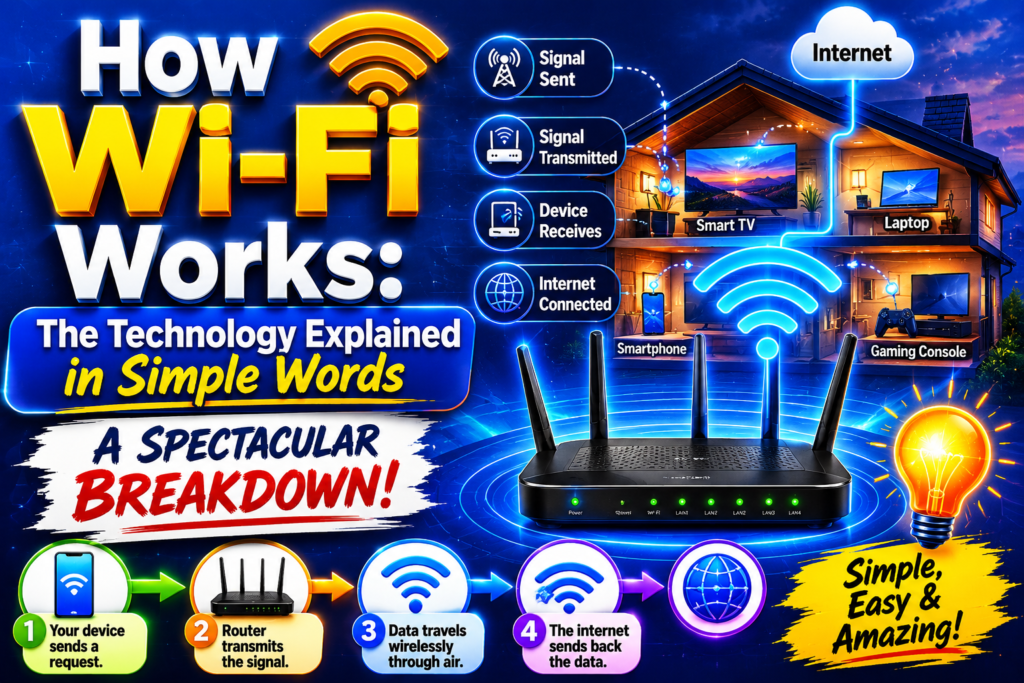
We live our lives completely surrounded by an invisible, humming ocean of digital data. With a simple tap on a glass smartphone screen, a high-definition movie begins playing instantly, or an email flashes across the ocean in milliseconds. This magic happens so seamlessly that we completely take it for granted. But if you stop and think about the physical reality, the concept is mind-blowing.
How does data travel through thin air without a single physical wire to guide it? Gaining a clear, deep understanding of how wi-fi works removes the frustrating mystery from our favorite daily technology. It reveals a brilliant world of radio waves, ultra-fast calculations, and microchip engineering.
To genuinely master how wi-fi works, you do not need an advanced university degree in electrical engineering. This guide breaks down the complex science into straightforward, easy-to-digest concepts, tracing the invisible journey your data takes from the global internet straight to your favorite device.
The Core Concept: What Is Wireless Internet?
Before diving into the complex physical hardware inside your walls, we need a baseline definition. If you look at what is wi-fi explained by networking professionals, the technology is essentially a two-way radio conversation.
Think about the traditional walkie-talkies you might have played with as a child. When you speak into a walkie-talkie, your voice is converted into a radio wave, broadcast through the air, and turned back into sound by the speaker on the other end.
Wireless internet operates on this exact same structural logic. However, instead of transmitting the sound of a human voice, it transmits massive bundles of computer information. Your laptop has an internal radio transceiver that talks to a central household hub, sending and receiving data using highly structured electromagnetic signals.
The Core Foundations of Radio Waves and Binary Code (1990 – 2000)
Computers are fundamentally simple machines at their deepest level. They do not understand human language, colorful pictures, or streaming video files. They only understand binary code, which is a massive, ongoing sequence of ones and zeros.
During the early development of wireless networking in the late 1990s, engineers had to solve a foundational riddle: how do you translate a string of electronic ones and zeros into a physical wave that can fly through a bedroom wall?
The solution lies in the manipulation of the electromagnetic spectrum. Every digital image or text file is broken down into tiny chunks called data packets Wi-Fi networks can easily carry. The internal computer chip acts as a translator, taking these ones and zeros and using a process called modulation to alter the physical shape of the radio wave.
For instance, the chip might subtly increase the height of the wave to represent a “1” or lower the height to represent a “0”. This structured wave travels through space until it hits a target antenna, where the receiving chip immediately reverses the process, decoding the wave back into binary computer language.
The Golden Duo: Router and Modem Connection (2000 – 2010)
To establish an active wireless network in a home or office, you need two distinct pieces of hardware working in perfect harmony. People often confuse these two boxes, but they have completely different corporate jobs.
[The Global Internet]
         │
         ▼ (Fiber-Optic / Coaxial Cable)
   [The Modem]  <── Translates internet provider signals
         │
         ▼ (Ethernet Cable)
   [The Router] <── Converts data to radio waves
         │
         ▼ (Invisible Waves)
[Wireless Devices] (Phone, Laptop, Smart TV)
The Modem: The Gatekeeper
The modem is your direct bridge to the outside world. It connects to your physical internet service provider via a fiber-optic or coaxial wire running into your street. The modem takes the specialized signals from the global infrastructure and translates them into a standardized digital format.
The Router: The Director
The router connects directly to the modem via an ethernet cable. The router’s primary job is to take that clean digital data stream, split it up into individual data packets, and broadcast it wirelessly into the room using a built-in transmitter.
When your smartphone sends a request to load a webpage, it shoots a radio signal to the router antenna. The router catches the signal, feeds it to the modem, which sends it to the internet. The internet replies, sending the data back through the modem, into the router, and out into the air. This entire router and modem connection loop happens millions of times every single second without a single error.
Frequencies and Bandwidth: The Data Highways
Wireless networks broadcast data across specific channels on the radio spectrum, generally utilizing two main lanes known as gigahertz bands. Understanding these lanes is crucial to grasping how wi-fi works in crowded environments like apartment complexes or busy modern offices.
To help clarify how a router dynamically handles these frequency lanes, engineers write automation code to sort data streams based on distance and speed needs. Below is a simple Python simulation demonstrating how a modern device evaluates wireless frequencies to pick the best path:
Python
def select_wireless_frequency(distance_meters, requires_high_speed):
    """Simulates how a modern device chooses between frequency bands."""
    print(f"Scanning Environment: Distance is {distance_meters}m, High Speed Request: {requires_high_speed}")

    # 5 GHz is fast but struggles with range; 2.4 GHz is slower but travels far
    if distance_meters > 15:
        return "Connecting via 2.4 GHz band. Priority: Maximum range and wall penetration."
    else:
        if requires_high_speed:
            return "Connecting via 5 GHz band. Priority: Ultra-fast throughput, low latency."
        else:
            return "Connecting via 2.4 GHz band. Priority: Conserving battery and network overhead."

# Simulating a smartphone user sitting close to the router streaming 4K video
user_distance = 4
stream_demand = True
chosen_band = select_wireless_frequency(user_distance, stream_demand)
print(f"Network Strategy: {chosen_band}")
This automatic channel selection is vital because different frequencies have drastically different physical properties. If you look into a detailed wi-fi frequencies explained manual, you will see that the 2.4 GHz band behaves like a heavy cargo truck; it moves slower but can travel long distances and pass through thick concrete walls easily.
Conversely, the 5 GHz band behaves like a nimble sports car; it moves incredibly fast but struggles to drive through physical obstacles and drops off quickly over distances.
Protocols and Standards: The Rules of the Air (2010 – 2020)
Because there are billions of different wireless devices manufactured by thousands of competing tech companies worldwide, the entire system requires a rigid set of international laws to prevent total chaos. These rules are known as standards.
If you read a comprehensive wi-fi standards explained breakdown, you will notice they are managed by the IEEE committee. Over the decades, these rules have been updated systematically to handle more data. The industry moved from older legacy standards like 802.11g up to modern variations like 802.11ac.
These updates ensure that a transmitter built by Samsung can talk flawlessly to a receiver built by Apple without any packet collision issues. The rules define exactly how long a device can talk before letting another device take a turn, keeping the invisible airways organized and efficient.
Overcoming Obstacles: Signal Range and Interference
In an ideal, empty vacuum, wireless signals would travel incredibly far without losing strength. But in the real world, the science behind Wi-Fi has to contend with an endless array of physical obstacles.
Every object in your home impacts how wireless internet works. When a radio wave hits a drywall partition, a glass mirror, or a heavy metal appliance, the signal undergoes massive distortion. Some materials completely absorb the wave, turning the energy into tiny amounts of heat, while other surfaces reflect the wave around the room like light bouncing off a mirror.
Furthermore, your household router is not the only device emitting electromagnetic waves. Baby monitors, microwave ovens, Bluetooth speakers, and your neighbor’s overlapping wireless networks all create environmental noise. This noise can garble data packets, forcing your laptop to ask the router to resend the information, which slows down your internet connection speed.
The Fight for Protection: Wireless Security
Because radio waves are broadcast indiscriminately in all directions, anyone sitting within range of your router can physically intercept the signals traveling through the air. This vulnerability makes encryption an absolute necessity for modern networks.
A thorough look into wi-fi security explained reveals a history of evolving security shields. In the early days, networks relied on a weak protocol called WEP, which hackers could crack in minutes. Today, modern routers utilize advanced WPA3 encryption protocols.
When you type your secret password into a device, a unique cryptographic key is generated. This key completely scrambles your data before it is converted into a radio wave. If a malicious hacker intercepts the wave out of the air, they will only see a meaningless jumble of random binary text, keeping your passwords and financial banking records completely safe.
The Next Frontier: The Transition to Hyper-Fast Speeds (2020 – 2026)
As we look at the current state of technology, we are in the middle of a massive upgrade cycle as users transition from older networks to ultra-modern gear. The current debate among tech-savvy consumers frequently centers around a detailed wi-fi 6 vs wi-fi 6e vs wi-fi 7 comparison.
Wi-Fi 6 brought major efficiency upgrades to crowded smart homes by using advanced antenna arrays. Wi-Fi 6E expanded on this by opening up a completely empty 6 GHz frequency band, acting like an exclusive express lane on a busy highway.
Today, Wi-Fi 7 is rolling out into mainstream consumer tech, allowing devices to connect to multiple different frequency bands at the exact same moment. This massive technical evolution ensures that even if one frequency channel is blocked by someone walking across the room, your download speeds will not drop for a single millisecond.
Frequently Asked Questions (FAQs)
What is the fundamental difference between a router and a modem?
A modem is the device that connects your home directly to your internet service provider, translating the specialized external data lines into a standard digital stream. A router takes that single internet stream from the modem and splits it up into wireless radio waves, allowing multiple phones and laptops to connect simultaneously.
Does rain or bad weather affect how a home Wi-Fi network operates indoors?
No, outdoor weather like heavy rain, snow, or high winds will not directly affect the wireless signals moving inside your house. However, severe weather can sometimes damage the physical cables outside your home owned by your internet provider, which can slow down or completely cut off the data feeding into your modem.
Why does my internet connection slow down when I move to a different room?
As you move away from your router, the physical distance causes the radio waves to naturally lose energy. Additionally, every wall, door, floor, and mirror the signal has to pass through absorbs or reflects a piece of that wave, weakening the signal and forcing your device to communicate at slower legacy speeds to prevent data loss.
How do multiple devices use the same wireless network at the same time without mixing up data?
Routers use highly advanced timing protocols to manage traffic. The router quickly switches between devices, sending tiny data packets to your phone, then your TV, then your laptop in milliseconds. To the human eye, it looks like everything is happening simultaneously, but the router is actually running a hyper-fast, organized relay race behind the scenes.
Conclusion: The Ultimate Triumph of Human Creativity
When you pull back the curtain on the invisible mechanics of the technology, realizing how wi-fi works highlights a truly astonishing achievement of human ingenuity. Engineers have managed to take the chaotic, unpredictable nature of radio frequencies and tame them into a hyper-reliable, globally standardized communication network.
The next time you quickly download a massive file, jump onto a crisp video call, or stream a cinematic movie on your phone, take a quick moment to appreciate the beautiful science happening silently all around you. Ones and zeros are constantly dancing through the air, vibrating at billions of times per second, gracefully keeping you connected to the entirety of human knowledge.

