
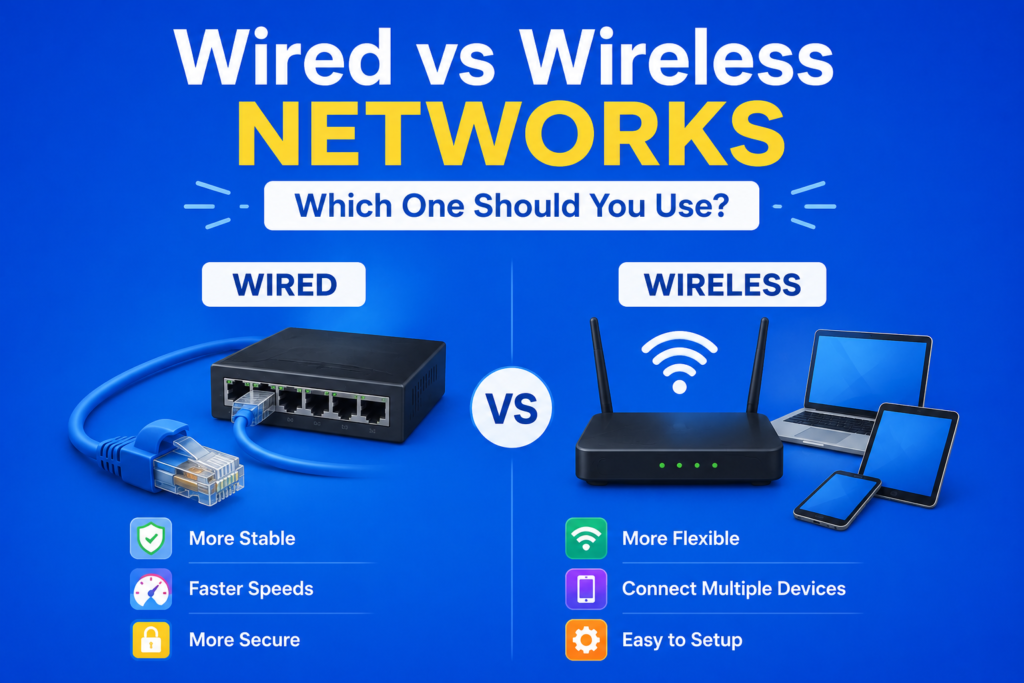
Choosing between wired vs wireless networks is one of the most common decisions people face when setting up internet access at home or in the office. Both options offer distinct advantages, and understanding wired vs wireless networks helps you make an informed choice based on your specific needs, whether that means faster speeds, greater flexibility or improved reliability.
While wireless connections continue growing more popular due to convenience, wired connections still offer significant benefits in certain situations. This guide breaks down wired vs wireless networks in detail, comparing speed, reliability, security and practical use cases to help you decide which option truly suits your lifestyle.
Understanding Wired Networks
Wired networks rely on physical cables, most commonly Ethernet cable connections, to link devices directly to a router or switch. This direct physical connection typically provides more stable and consistent performance compared to wireless alternatives, since data travels through a dedicated pathway without interference from surrounding electronic devices.
Understanding wired vs wireless networks starts with recognizing that wired connections generally offer superior bandwidth explained capacity and lower latency rate performance, making them particularly popular among gamers, video editors and professionals requiring consistent, high performance connections for demanding tasks.
Understanding Wireless Networks
Wireless networks, commonly powered by Wi-Fi technology, transmit data through radio signals rather than physical cables. This approach offers significant convenience, allowing devices to connect from anywhere within range of a router without requiring messy cables running throughout your home or office.
Modern wireless standards, including Wi-Fi 6 and the newer Wi-Fi 6E, have dramatically improved wireless performance, narrowing the gap between wired vs wireless networks in terms of both speed and reliability, making wireless connections increasingly viable for demanding activities that once required wired setups exclusively.
Wi-Fi Versus Ethernet: Direct Comparison
When comparing Wi-Fi vs Ethernet directly within wired vs wireless networks discussions, Ethernet connections typically offer more consistent speeds since they are not affected by physical obstacles, distance from the router or electromagnetic interference from other devices.
Wi-Fi, while incredibly convenient, can experience Wi-Fi signal interference from walls, other electronic devices or even neighboring wireless networks operating on similar frequencies. This interference can cause fluctuations in performance that wired connections typically avoid entirely, making Ethernet the preferred choice for critical applications.
Speed Differences in Wired Vs Wireless Internet
Examining wired vs wireless internet speed reveals that wired connections generally provide faster, more consistent megabits per second performance, particularly with modern Gigabit Ethernet connections capable of handling substantial throughput capacity without significant slowdown.
While newer wireless standards have improved considerably, wired connections still typically outperform wireless setups in raw speed and consistency, especially in environments with many connected devices competing for the same wireless bandwidth simultaneously across shared internet infrastructure.
Gaming on Wi-Fi Vs Ethernet
For competitive gamers, the choice between gaming on Wi-Fi vs Ethernet often comes down to latency rate considerations. Wired Ethernet connections typically offer lower latency and reduced packet loss rate compared to wireless alternatives, making them the preferred choice for competitive online gaming where every millisecond matters.
While Wi-Fi has improved significantly with modern standards, serious gamers often still prefer wired connections when possible, reserving wireless connections primarily for casual gaming or situations where running an Ethernet cable proves impractical or inconvenient.
Types of Ethernet Cables Explained
Understanding types of Ethernet cables helps clarify performance differences within wired networking setups. Cat6 cable generally offers better performance and reduced interference compared to older Cat5e cable options, supporting higher bandwidth and more reliable connections for demanding applications.
Comparing Cat6 vs Cat5e cables directly, Cat6 supports higher data transfer rates over longer distances, making it the preferred choice for new installations, particularly in professional settings or homes requiring dependable performance across multiple connected devices.
Advantages of Wireless Networks
Despite certain performance limitations compared to wired connections, advantages of wireless networks remain significant for many users. Wireless networks provide exceptional device mobility, allowing laptops, smartphones and tablets to connect from virtually anywhere within range without requiring physical cable connections.
This flexibility makes wireless networks particularly appealing for shared living spaces, offices with frequently rearranged furniture, or situations where running physical cables throughout a building would prove impractical, expensive or aesthetically undesirable for the overall space.
Disadvantages of Wired Networks
While wired connections offer superior performance, disadvantages of wired networks include reduced flexibility and increased installation complexity. Running Ethernet cables throughout a home or office often requires drilling holes, hiding cables and sometimes hiring professional installation services.
Additionally, wired connections limit device mobility, since devices must remain physically connected to function properly. This makes wired setups less practical for mobile devices like smartphones, though they remain excellent choices for stationary devices like desktop computers or gaming consoles.
Network Reliability Comparison
When conducting a network reliability comparison, wired connections generally win due to their resistance to electromagnetic interference and consistent signal strength regardless of distance from the router. Wireless connections, while convenient, remain more susceptible to interference and can experience signal degradation over greater distances.
This reliability difference becomes particularly important for critical applications like security systems, medical devices or business operations where consistent network security and connectivity cannot be compromised due to unexpected wireless interference or connection drops.
Wireless Signal Range and Coverage
Understanding wireless signal range helps clarify practical limitations within wired vs wireless networks comparisons. Wi-Fi signals weaken as distance from the router increases, and physical obstacles like walls or floors can further reduce coverage, sometimes creating dead zones within larger homes or buildings.
Dual-band wireless routers help address some range limitations by offering both standard and extended range frequencies, though users in larger spaces often still require additional equipment like range extenders or mesh systems to achieve consistent coverage throughout their entire property.
Setting Up Your Home Network
When planning a home network setup wired approach, consider which devices genuinely benefit from wired connections. Stationary devices like desktop computers, gaming consoles and smart TVs often perform best with wired connections, while mobile devices naturally require wireless access instead.
Many modern households adopt a hybrid approach, using an Ethernet switch vs Wi-Fi router combination to provide wired connections for demanding stationary devices while still offering wireless access throughout the home for smartphones, tablets and laptops requiring mobility.
Local Network Connection Stability
Achieving local network connection stability often requires combining both wired and wireless elements strategically. Critical devices requiring consistent performance benefit from wired connections, while less demanding devices can rely comfortably on wireless access without noticeable performance issues.
This balanced approach to internet infrastructure design allows households and businesses to maximize both performance and convenience, ensuring that wired vs wireless networks work together harmoniously rather than forcing an all or nothing decision for the entire property.
Frequently Asked Questions (FAQs)
Which is better, wired or wireless networks?
Neither option is universally better. Wired networks offer superior speed and reliability, while wireless networks provide greater flexibility and convenience, making the best choice dependent on specific needs.
Is Ethernet really faster than Wi-Fi?
Yes, Ethernet connections typically offer faster, more consistent speeds compared to Wi-Fi, particularly with modern Gigabit Ethernet cables, though newer Wi-Fi standards have narrowed this performance gap.
Should I use wired or wireless connections for gaming?
Wired connections are generally preferred for competitive gaming due to lower latency and reduced packet loss, though modern Wi-Fi standards work well for casual gaming purposes.
Can I use both wired and wireless networks together?
Yes, many households successfully combine both wired and wireless networks, using wired connections for stationary devices while relying on wireless access for mobile devices throughout the home.
Conclusion
Understanding wired vs wireless networks reveals that both options offer distinct advantages depending on your specific needs. Wired connections provide superior speed and reliability, while wireless networks offer unmatched convenience and device mobility for everyday use.
Ultimately, choosing between wired vs wireless networks often comes down to balancing performance requirements with practical convenience, and many households find that combining both approaches creates the most effective internet infrastructure for their unique situation.