
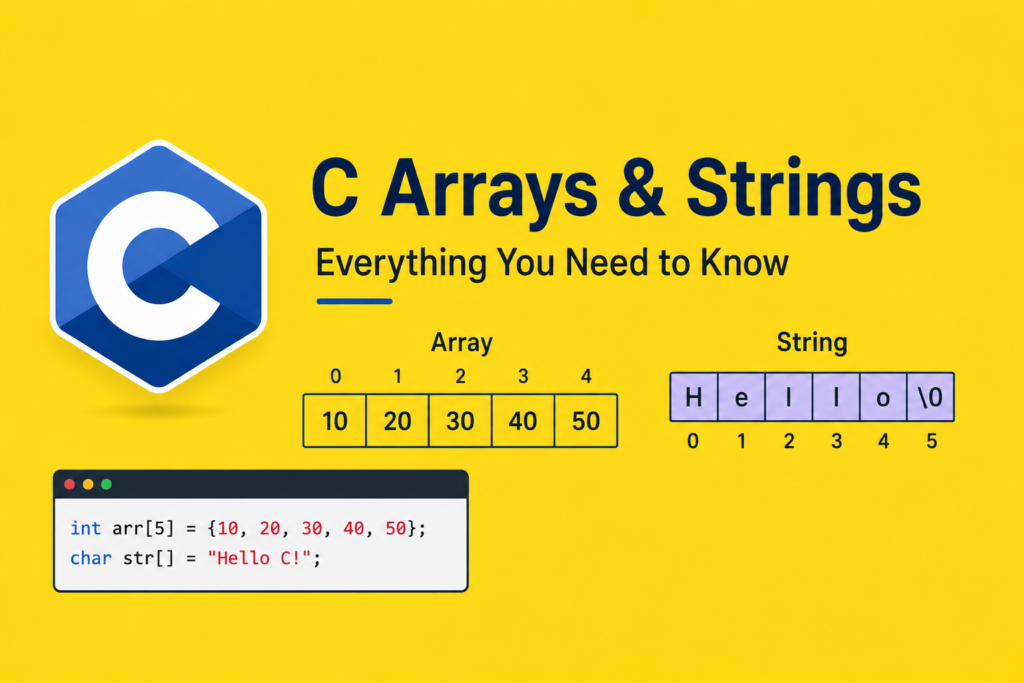
C arrays and strings are two of the most essential and widely used data structures in the entire C programming language. Almost every meaningful program you will ever write in C involves storing collections of values, processing sequences of characters, or both. Arrays give you the power to work with ordered sets of data of the same type stored in contiguous memory. Strings, which in C are simply arrays of characters with a special terminating character, give you the ability to represent and manipulate text. Master c arrays and strings and you unlock the ability to write programs that process real-world data at a level of precision and performance that higher-level languages simply cannot match. This guide covers everything from array declaration through multidimensional matrices to the full suite of string handling functions, with working code at every step.
What Is an Array in C and Why Does It Matter
An array in C is a fixed-size, ordered collection of elements of the same data type stored in contiguous memory locations. The key word is contiguous: every element sits immediately adjacent to the previous one in memory, which makes arrays extraordinarily fast to traverse and process. When you access any element, the processor computes its address in a single arithmetic operation using the base address and the element index.
The C programming legacy built by Dennis Ritchie placed arrays at the heart of C’s data model, and understanding why reveals a great deal about the language’s philosophy. C arrays are not objects with built-in methods. They are raw memory regions with a name and a type. That simplicity is their strength: no hidden overhead, no bounds-checking machinery, no automatic resizing. You get direct access to a block of memory and full responsibility for using it correctly.
Declaring and Initializing Arrays in C
Array declaration in C follows a simple pattern: the element type, followed by the array name, followed by the size in square brackets. The size must be a compile-time constant in C89 and C90, though C99 introduced variable-length arrays:
c:
#include <stdio.h>

int main(void) {
    /* Declaration with explicit size */
    int scores[5];

    /* Declaration with initialization */
    int temperatures[7] = {22, 25, 19, 28, 31, 27, 24};

    /* Size inferred from initializer */
    double prices[] = {9.99, 14.50, 3.75, 22.00, 7.25};

    /* Partial initialization - rest zeroed */
    int counters[10] = {0};   /* All elements initialized to 0 */

    int i;
    printf("Temperatures this week:\n");
    for (i = 0; i < 7; i++) {
        printf("Day %d: %d degrees\n", i + 1, temperatures[i]);
    }

    return 0;
}
When you provide an initializer list, C fills the array from index 0 upward. If the list has fewer values than the array size, the remaining elements are zero-initialized. If you omit the size and provide an initializer list, C counts the elements and sets the size automatically.
Array Indexing and Memory Layout
Array indexing in C is zero-based. The first element is at index 0, the second at index 1, and the last element of an n-element array is at index n minus 1. This is not arbitrary: it reflects the underlying pointer arithmetic where arr[i] is exactly equivalent to *(arr + i), adding i times the element size to the base address:
c:
#include <stdio.h>

int main(void) {
    int numbers[5] = {10, 20, 30, 40, 50};
    int i;

    printf("Array elements and addresses:\n");
    for (i = 0; i < 5; i++) {
        printf("numbers[%d] = %d  Address: %p\n",
               i, numbers[i], (void*)&numbers[i]);
    }

    /* Demonstrating equivalence of [] and pointer arithmetic */
    printf("\nPointer arithmetic access:\n");
    printf("*(numbers + 0) = %d\n", *(numbers + 0));
    printf("*(numbers + 2) = %d\n", *(numbers + 2));
    printf("*(numbers + 4) = %d\n", *(numbers + 4));

    return 0;
}
Run this and you will see that consecutive addresses differ by exactly sizeof(int) bytes, typically 4 on modern systems. This contiguous memory layout is what makes arrays so cache-friendly and fast to traverse compared to linked data structures.
Passing Arrays to Functions
When you pass an array to a function in C, what actually passes is a pointer to the first element. The function receives the address, not a copy of the array. This means functions can modify array contents and those modifications persist in the caller:
c:
#include <stdio.h>

void fill_array(int arr[], int size, int value) {
    int i;
    for (i = 0; i < size; i++) {
        arr[i] = value;
    }
}

int sum_array(const int arr[], int size) {
    int total = 0;
    int i;
    for (i = 0; i < size; i++) {
        total += arr[i];
    }
    return total;
}

void reverse_array(int arr[], int size) {
    int left = 0;
    int right = size - 1;
    while (left < right) {
        int temp = arr[left];
        arr[left] = arr[right];
        arr[right] = temp;
        left++;
        right--;
    }
}

int main(void) {
    int data[6] = {5, 3, 8, 1, 9, 2};
    int i;

    printf("Sum: %d\n", sum_array(data, 6));
    reverse_array(data, 6);

    printf("Reversed: ");
    for (i = 0; i < 6; i++) {
        printf("%d ", data[i]);
    }
    printf("\n");

    fill_array(data, 6, 0);
    printf("After fill: %d %d %d\n", data[0], data[1], data[2]);

    return 0;
}
The const qualifier in sum_array tells the compiler and human readers that this function will not modify the array elements. Use const on array parameters whenever a function should only read, never write, to the array.
Multidimensional Arrays: Working With Matrices
C supports multidimensional arrays, which are essentially arrays of arrays. The most commonly used form is the two-dimensional array, which represents a matrix or table of values:
c:
#include <stdio.h>

int main(void) {
    /* 3x4 matrix of integers */
    int matrix[3][4] = {
        {1,  2,  3,  4},
        {5,  6,  7,  8},
        {9, 10, 11, 12}
    };

    int rows = 3, cols = 4;
    int i, j;
    int row_sum;

    printf("Matrix:\n");
    for (i = 0; i < rows; i++) {
        row_sum = 0;
        for (j = 0; j < cols; j++) {
            printf("%4d", matrix[i][j]);
            row_sum += matrix[i][j];
        }
        printf("  | Row sum: %d\n", row_sum);
    }

    /* Matrix transpose */
    printf("\nTransposed matrix:\n");
    for (j = 0; j < cols; j++) {
        for (i = 0; i < rows; i++) {
            printf("%4d", matrix[i][j]);
        }
        printf("\n");
    }

    return 0;
}
In memory, a 2D array is stored in row-major order: all elements of row 0 come first, then all elements of row 1, and so on. This means iterating row by row is more cache-friendly than iterating column by column, because consecutive row elements sit next to each other in memory.
What Are Strings in C: The Null Terminator
C does not have a built-in string type. Strings in C are arrays of char with a special null character \0 at the end. This null terminator is what allows string functions to find the end of a string without knowing its length in advance. Every string function and every piece of code working with C strings depends on this convention:
c:
#include <stdio.h>

int main(void) {
    /* String literal - automatically null-terminated */
    char greeting[] = "Hello";
    /* Equivalent to: char greeting[] = {'H','e','l','l','o','\0'}; */

    /* Manual character array with explicit null terminator */
    char name[6] = {'W', 'o', 'r', 'l', 'd', '\0'};

    int i = 0;

    printf("String: %s\n", greeting);
    printf("Length without null: ");
    while (greeting[i] != '\0') {
        printf("%c", greeting[i]);
        i++;
    }
    printf(" (%d chars)\n", i);

    printf("Size of array: %zu bytes\n", sizeof(greeting)); /* 6, includes \0 */

    return 0;
}
The null character \0 has ASCII value 0. When you write “Hello” as a string literal, C automatically appends \0, making the actual array size 6, not 5. Forgetting to account for this extra byte when declaring character arrays is one of the most common causes of buffer overflow in C string handling.
C Arrays and Strings With the String Library
The string.h header file provides the standard string handling functions that every C programmer needs to know. These functions form the practical toolkit for c arrays and strings work in production code:
c:
#include <stdio.h>
#include <string.h>

int main(void) {
    char source[] = "Programming";
    char destination[50];
    char first[] = "Hello, ";
    char second[] = "World!";
    char combined[50];
    char str1[] = "apple";
    char str2[] = "banana";

    /* strlen: string length excluding null terminator */
    printf("Length of '%s': %zu\n", source, strlen(source));

    /* strcpy: string copy - includes null terminator */
    strcpy(destination, source);
    printf("Copied: %s\n", destination);

    /* strcat: string concatenation */
    strcpy(combined, first);
    strcat(combined, second);
    printf("Combined: %s\n", combined);

    /* strcmp: string comparison */
    int result = strcmp(str1, str2);
    if (result < 0) {
        printf("'%s' comes before '%s'\n", str1, str2);
    } else if (result > 0) {
        printf("'%s' comes after '%s'\n", str1, str2);
    } else {
        printf("Strings are equal\n");
    }

    return 0;
}
strlen counts characters until the null terminator and returns that count, not including \0. strcpy copies the source string including its null terminator into the destination buffer. strcat appends the source string to the end of the destination string. strcmp compares two strings lexicographically and returns a negative value if the first is less than the second, zero if equal, and positive if greater.
Safe String Functions: Preventing Buffer Overflow
The classic string functions like strcpy and strcat are dangerous when the destination buffer is smaller than needed. A buffer overflow, where data is written beyond the allocated array, is one of the most exploited security vulnerabilities in software history. The safe alternatives with explicit size limits are essential knowledge:
c:
#include <stdio.h>
#include <string.h>

int main(void) {
    char safe_dest[10];
    char long_source[] = "This string is way too long for the destination";
    char base[20] = "Hello";
    char addition[] = " World Extra Text";

    /* strncpy: copy at most n characters */
    strncpy(safe_dest, long_source, sizeof(safe_dest) - 1);
    safe_dest[sizeof(safe_dest) - 1] = '\0';   /* Ensure null termination */
    printf("Safe copy: '%s'\n", safe_dest);

    /* strncat: concatenate at most n characters */
    strncat(base, addition, sizeof(base) - strlen(base) - 1);
    printf("Safe concat: '%s'\n", base);

    /* Use fgets instead of gets for safe input */
    char input[50];
    printf("Enter text (max 49 chars): ");
    /* fgets reads at most size-1 chars and adds null terminator */
    if (fgets(input, sizeof(input), stdin) != NULL) {
        /* Remove trailing newline if present */
        size_t len = strlen(input);
        if (len > 0 && input[len - 1] == '\n') {
            input[len - 1] = '\0';
        }
        printf("You entered: '%s'\n", input);
    }

    return 0;
}
Always use strncpy, strncat, and fgets instead of their unchecked counterparts. The never-use-gets rule is absolute: gets has no way to limit how many characters it reads and was formally removed from the C11 standard.
String Searching and Character Functions
The string.h library provides additional powerful functions for searching within strings and working with individual characters:
c:
#include <stdio.h>
#include <string.h>
#include <ctype.h>

void to_uppercase(char str[]) {
    int i;
    for (i = 0; str[i] != '\0'; i++) {
        str[i] = toupper(str[i]);
    }
}

int count_vowels(const char str[]) {
    int count = 0;
    int i;
    for (i = 0; str[i] != '\0'; i++) {
        char c = tolower(str[i]);
        if (c=='a' || c=='e' || c=='i' || c=='o' || c=='u') {
            count++;
        }
    }
    return count;
}

int main(void) {
    char sentence[] = "The quick brown fox jumps over the lazy dog";
    char word[] = "hello world programming";

    /* strchr: find first occurrence of character */
    char *found = strchr(sentence, 'q');
    if (found) {
        printf("Found 'q' at position: %ld\n", found - sentence);
    }

    /* strstr: find substring */
    char *sub = strstr(sentence, "fox");
    if (sub) {
        printf("Found 'fox' at: %s\n", sub);
    }

    printf("Vowels in sentence: %d\n", count_vowels(sentence));

    to_uppercase(word);
    printf("Uppercase: %s\n", word);

    return 0;
}
strchr returns a pointer to the first occurrence of a character in a string, or NULL if not found. strstr returns a pointer to the first occurrence of a substring. The ctype.h functions like toupper, tolower, and isdigit operate on individual characters and are indispensable for text processing.
Arrays of Strings: Practical Text Collections
An array of strings in C is an array of character arrays, or equivalently, an array of char pointers. This structure is how command-line arguments, word lists, and text menus are typically represented:
c:
#include <stdio.h>
#include <string.h>

int main(void) {
    /* Array of string literals through pointers */
    const char *days[] = {
        "Monday", "Tuesday", "Wednesday",
        "Thursday", "Friday", "Saturday", "Sunday"
    };
    int num_days = 7;

    /* Array of character arrays (modifiable) */
    char names[4][20] = {"Alice", "Bob", "Charlie", "Diana"};
    int num_names = 4;
    int i, j;

    printf("Days of the week:\n");
    for (i = 0; i < num_days; i++) {
        printf("%d. %s\n", i + 1, days[i]);
    }

    /* Sorting names alphabetically using strcmp */
    char temp[20];
    for (i = 0; i < num_names - 1; i++) {
        for (j = 0; j < num_names - 1 - i; j++) {
            if (strcmp(names[j], names[j + 1]) > 0) {
                strcpy(temp, names[j]);
                strcpy(names[j], names[j + 1]);
                strcpy(names[j + 1], temp);
            }
        }
    }

    printf("\nSorted names:\n");
    for (i = 0; i < num_names; i++) {
        printf("%s\n", names[i]);
    }

    return 0;
}
The key difference between const char *days[] and char names[4][20] is important. The pointer array holds pointers to string literals stored in read-only memory. The character array matrix allocates modifiable memory for each string. When you need to modify string contents, use the character array form.
Practical Applications: Building a Word Counter
Seeing c arrays and strings work together in a complete program shows their real power:
c:
#include <stdio.h>
#include <string.h>
#include <ctype.h>

int count_words(const char sentence[]) {
    int count = 0;
    int in_word = 0;
    int i;

    for (i = 0; sentence[i] != '\0'; i++) {
        if (!isspace(sentence[i])) {
            if (!in_word) {
                count++;
                in_word = 1;
            }
        } else {
            in_word = 0;
        }
    }
    return count;
}

void extract_words(const char sentence[], char words[][50], int *word_count) {
    int i = 0;
    int word_len;
    *word_count = 0;

    while (sentence[i] != '\0') {
        while (isspace(sentence[i])) i++;
        if (sentence[i] == '\0') break;

        word_len = 0;
        while (sentence[i] != '\0' && !isspace(sentence[i])) {
            words[*word_count][word_len++] = sentence[i++];
        }
        words[*word_count][word_len] = '\0';
        (*word_count)++;
    }
}

int main(void) {
    char text[] = "C arrays and strings are powerful programming tools";
    char words[20][50];
    int word_count;
    int i;

    printf("Text: %s\n", text);
    printf("Character count: %zu\n", strlen(text));
    printf("Word count: %d\n", count_words(text));

    extract_words(text, words, &word_count);
    printf("Individual words:\n");
    for (i = 0; i < word_count; i++) {
        printf("  [%d] %s (length: %zu)\n", i, words[i], strlen(words[i]));
    }

    return 0;
}
This program demonstrates how c arrays and strings work together to solve a real text analysis task using the patterns and functions covered throughout this guide.
Connecting Arrays and Strings to the Broader C Learning Path
Understanding c arrays and strings opens the door to nearly every practical application of C programming. The concepts here connect directly to the next layer of skills you will need.
The natural progression from arrays leads into C memory management, where you learn to allocate arrays of dynamic size at runtime using malloc and calloc, freeing you from the fixed-size constraint of stack-allocated arrays. Dynamic string buffers, flexible data collections, and runtime-sized matrices all require this capability.
Understanding how arrays relate to pointers deepens everything you learned in C pointers explained. Array names decay to pointers in most contexts, pointer arithmetic traverses arrays efficiently, and the entire string.h library is implemented in terms of char pointers. These connections reinforce each other powerfully.
For beginners who want to see how array and string concepts fit into a complete learning path, C programming for beginners provides the structured progression from the very first variable declaration through increasingly sophisticated data handling. Arrays are typically encountered early in that journey and revisited repeatedly as skills develop.
The C programming legacy makes clear why arrays and strings were designed with this direct, memory-visible approach. When Dennis Ritchie built C to write UNIX, text processing, command parsing, and buffer management were central tasks. The character array model with null termination gave C programmers the exact primitives they needed to do this work efficiently.
Developers interested in seeing how C’s approach to arrays and strings compares to a higher-level language will find C vs Python particularly illuminating. Python strings are immutable objects with built-in methods. C character arrays are raw memory that you control completely. Each model has its place, and understanding both makes you a more versatile programmer.
For those heading toward systems work, C for embedded systems shows how fixed-size arrays and efficient string processing are critical for parsing sensor data, building communication protocols, and handling command interfaces on microcontrollers where dynamic allocation is often unavailable.
Frequently Asked Questions
What Is the Difference Between a char Array and a String in C?
A string in C is simply a char array that ends with the null character \0. Every valid C string is a char array, but not every char array is a string. If you store characters in a char array without ensuring the null terminator is present, string functions like strlen and printf with %s will read past the end of your data, causing undefined behavior. When you initialize a char array with a string literal like char name[] = “Alice”, C automatically adds \0 at the end, making it a proper string.
Why Does C Not Have a Built-In String Type?
C was designed with a philosophy of minimal abstraction and maximum programmer control. Dennis Ritchie chose to represent strings as null-terminated character arrays rather than creating a built-in string type because this approach adds zero overhead and gives programmers complete control over memory layout. A string is exactly as large as its characters plus one byte for \0. There is no hidden length field, no reference count, and no allocation metadata. This simplicity is exactly right for systems programming where you need to know precisely how much memory every data structure uses.
What Is a Buffer Overflow and How Do I Prevent It in C?
A buffer overflow occurs when more data is written into an array than it can hold, overwriting adjacent memory. In string handling, this typically happens when using strcpy or strcat without checking whether the destination buffer is large enough for the source content. Prevent it by always using strncpy and strncat with explicit size limits, always allocating destination buffers that are at least as large as the maximum expected content plus one byte for the null terminator, and using fgets instead of gets for reading string input. These habits prevent the majority of string-related security vulnerabilities.
How Do I Find the Length of an Array in C?
C arrays do not store their own length. Once an array is passed to a function, the size information is lost because the function only receives a pointer to the first element. The standard approach is to pass the array size as a separate parameter to every function that needs it. For arrays in the same scope where they were declared, you can calculate the element count as sizeof(array) divided by sizeof(array[0]). For strings specifically, strlen gives you the character count excluding the null terminator, which is usually what you want.
Can I Return an Array From a C Function?
You cannot return a local array from a C function because local arrays are allocated on the stack and cease to exist when the function returns. Returning a pointer to a local array creates a dangling pointer. The correct approaches are: pass the destination array as a parameter and have the function fill it, allocate the array dynamically with malloc inside the function and return the pointer (the caller must free it), or declare the array static so it persists beyond the function call (though static arrays are shared across calls, which creates threading issues). Passing a destination buffer as a parameter is the most common and safest approach.
Conclusion
C arrays and strings are not just beginner topics to get through on the way to more exciting material. They are the workhorses of C programming that appear in every serious application the language is used to build. Arrays give you the fastest possible access to ordered collections of data. Strings give you the ability to handle text at the lowest level, with full control over every character and every byte of memory.
The skills covered in this guide, declaring and initializing arrays, understanding index-based access and pointer equivalence, working with multidimensional arrays, using the full suite of string.h functions safely, and building practical applications that combine arrays and strings into complete solutions, form a foundation that every C programmer builds on constantly.
The C programming legacy that Dennis Ritchie established made arrays and strings fundamental precisely because they are so universally needed and because the null-terminated char array model is so elegantly simple. Master c arrays and strings with the depth this guide has provided and you will find that the most demanding C programming tasks, parsing protocols, processing text files, manipulating binary buffers, become clear, tractable, and even satisfying to implement.