
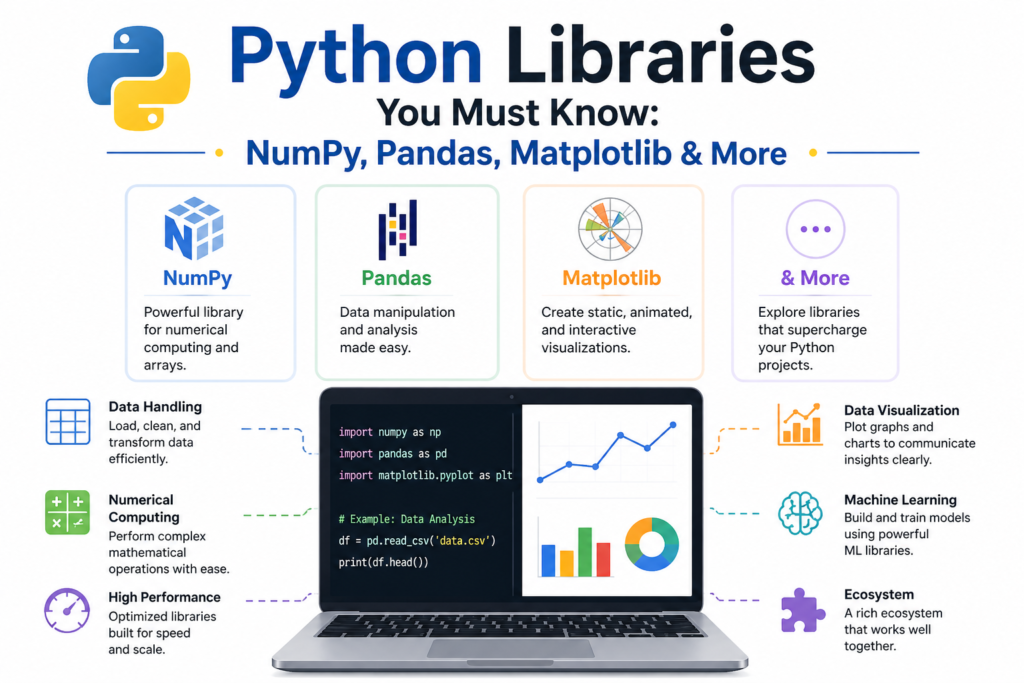
Python is a fantastic language on its own. But its true superpower comes from python libraries . These are pre written code collections that add amazing capabilities. Want to analyze data? There is a library. Want to build a website? There is a library. Want to do machine learning? There are dozens of libraries. The python library ecosystem is the largest in the programming world. Over 400,000 packages are available on the Python Package Index (PyPI). This excellent guide covers the essential python libraries you absolutely must know. Whether you are doing data science, web development, automation, or artificial intelligence, these tools will save you thousands of hours of work. Let me share a fascinating fact from history of python . Guido van Rossum created Python in 1991. But the explosion of python libraries happened in the 2000s and 2010s. Today, Python dominates scientific computing , data manipulation , and machine learning because of these incredible libraries.
Why Python Libraries Are Game Changers
Writing everything from scratch is impossible. A single data analysis project might need complex math, statistics, visualization, and machine learning. Building all that yourself would take years. Python libraries give you battle tested, optimized, documented code instantly. They are free and open source. Thousands of developers contribute to them. Companies like Google, Facebook, and Netflix use them in production. For python for data science , libraries like NumPy and Pandas are absolutely essential. They turn Python into a powerful data analysis tool that competes with R and MATLAB. For python web development , libraries like Django and Flask power millions of websites. For python automation , libraries like Requests and BeautifulSoup automate internet tasks. Learning these python libraries transforms you from a beginner into a professional who can solve real world problems efficiently.
NumPy Numerical Computing Foundation
NumPy is the foundation of almost all python libraries for data science. It provides multidimensional arrays and fast mathematical operations. NumPy stands for Numerical Python. It was created in 2005 by Travis Oliphant. Before NumPy, Python was slow for numerical work. NumPy fixed this by implementing operations in C and Fortran under the hood. Here is how to install and use NumPy:
pip install numpy
Once installed, import it conventionally as np:
import numpy as np
# Create a 1D array
arr1 = np.array([1, 2, 3, 4, 5])
# Create a 2D array (matrix)
arr2 = np.array([[1, 2, 3], [4, 5, 6]])
# Array operations are element wise and fast
print(arr1 * 2) # [2, 4, 6, 8, 10]
print(arr1 + arr1) # [2, 4, 6, 8, 10]
# Special arrays
zeros = np.zeros((3, 4)) # 3x4 array of zeros
ones = np.ones((2, 3)) # 2x3 array of ones
range_array = np.arange(0, 10, 2) # [0, 2, 4, 6, 8]
linspace = np.linspace(0, 1, 5) # [0, 0.25, 0.5, 0.75, 1]
# Random numbers
random_array = np.random.rand(3, 3) # 3x3 random between 0 and 1
# Array mathematics
mean_value = np.mean(arr1)
sum_value = np.sum(arr1)
max_value = np.max(arr1)
NumPy is the engine under Pandas, SciPy, Scikit-learn, and TensorFlow. Without NumPy, modern python libraries for data science would not exist. It is the first library any data scientist learns.
Pandas Data Manipulation Powerhouse
Pandas is the most important library for data manipulation . It provides data frames , which are like spreadsheets in Python. Wes McKinney created Pandas in 2008 while working at AQR Capital Management. He needed better data analysis tools. Today, Pandas is essential for any data analysis libraries collection. Install it:
pip install pandas
Import conventionally as pd:
import pandas as pd
# Create a DataFrame from a dictionary
data = {
"Name": ["Alice", "Bob", "Charlie", "Diana"],
"Age": [25, 30, 35, 28],
"City": ["New York", "London", "Paris", "Tokyo"],
"Salary": [50000, 60000, 70000, 55000]
}
df = pd.DataFrame(data)
print(df)
# View first rows
print(df.head())
# Get information about the DataFrame
print(df.info())
# Descriptive statistics
print(df.describe())
# Select a column
ages = df["Age"]
names = df.Name # Also works
# Filter rows
high_earners = df[df["Salary"] > 55000]
# Add a new column
df["Bonus"] = df["Salary"] * 0.10
# Group by
city_groups = df.groupby("City").mean()
# Read data from files
df_csv = pd.read_csv("data.csv")
df_excel = pd.read_excel("data.xlsx")
df_json = pd.read_json("data.json")
# Write data to files
df.to_csv("output.csv", index=False)
Pandas handles missing data, merging datasets, reshaping data, and time series analysis. It turns messy real world data into clean analysis ready tables. For python for data science , Pandas is non negotiable.
Matplotlib Data Visualization Foundation
Data is useless if you cannot see patterns. Matplotlib creates graphs, charts, and plots. John Hunter created Matplotlib in 2003. It is the foundation of data visualization in Python. Most other visualization python libraries like Seaborn build on top of Matplotlib. Install it:
pip install matplotlib
Import conventionally as plt:
import matplotlib.pyplot as plt
# Simple line plot
x = [1, 2, 3, 4, 5]
y = [2, 4, 6, 8, 10]
plt.plot(x, y)
plt.title("Simple Line Plot")
plt.xlabel("X axis")
plt.ylabel("Y axis")
plt.show()
# Scatter plot
import numpy as np
x = np.random.randn(100)
y = np.random.randn(100)
plt.scatter(x, y)
plt.title("Scatter Plot")
plt.show()
# Bar chart
categories = ["A", "B", "C", "D"]
values = [15, 30, 45, 20]
plt.bar(categories, values)
plt.title("Bar Chart")
plt.show()
# Histogram
data = np.random.randn(1000)
plt.hist(data, bins=30)
plt.title("Histogram")
plt.show()
# Multiple plots
fig, axes = plt.subplots(2, 2, figsize=(10, 8))
axes[0, 0].plot(x, y)
axes[0, 1].scatter(x, y)
axes[1, 0].bar(categories, values)
axes[1, 1].hist(data, bins=30)
plt.show()
Matplotlib is highly customizable. You can control every element of your plots: colors, labels, legends, grids, and annotations. For python libraries in data science, Matplotlib produces publication ready figures.
Seaborn Statistical Visualization
Seaborn builds on Matplotlib to create beautiful data visualization with less code. It is designed for statistical plots. Seaborn was created by Michael Waskom. It works perfectly with Pandas DataFrames. Install it:
pip install seaborn
Import as sns:
import seaborn as sns
import matplotlib.pyplot as plt
# Load example dataset
tips = sns.load_dataset("tips")
# Scatter plot with regression line
sns.lmplot(x="total_bill", y="tip", data=tips)
plt.show()
# Box plot
sns.boxplot(x="day", y="total_bill", data=tips)
plt.show()
# Heatmap of correlations
correlation = tips.corr()
sns.heatmap(correlation, annot=True, cmap="coolwarm")
plt.show()
# Count plot
sns.countplot(x="day", data=tips)
plt.show()
# Pairplot for multiple variables
sns.pairplot(tips, hue="sex")
plt.show()
Seaborn reduces the code needed for complex visualizations by 80% compared to raw Matplotlib. It also applies beautiful default styles. For exploring new datasets, Seaborn is invaluable.
SciPy Advanced Scientific Computing
SciPy builds on NumPy for scientific computing . It adds modules for optimization, linear algebra, integration, interpolation, signal processing, and statistics. SciPy was created in 2001. It is essential for engineers and scientists using python libraries . Install it:
pip install scipy
Common SciPy uses:
import numpy as np
from scipy import stats, optimize, integrate
# Statistics
data = np.random.randn(100)
mean = np.mean(data)
t_statistic, p_value = stats.ttest_1samp(data, 0)
# Optimization (finding minimum of a function)
def f(x):
return (x[0] - 3)**2 + (x[1] - 4)**2
result = optimize.minimize(f, [0, 0])
print(result.x) # Approximately [3, 4]
# Integration
def quadratic(x):
return x**2
area, error = integrate.quad(quadratic, 0, 1) # Area under x^2 from 0 to 1
print(area) # 0.3333
SciPy is massive. It has over 15,000 functions. Most users only need a few modules. But when you need advanced math, SciPy is there. It is one of the oldest and most trusted python libraries .
Scikit learn Machine Learning Made Accessible
Scikit-learn is the most popular library for traditional machine learning. It provides algorithms for classification, regression, clustering, and dimensionality reduction. Scikit-learn was created in 2007 as a Google Summer of Code project. It is built on NumPy, SciPy, and Matplotlib. Install it:
pip install scikit-learn
Import commonly used modules:
from sklearn import datasets, model_selection, preprocessing
from sklearn.ensemble import RandomForestClassifier
from sklearn.metrics import accuracy_score
# Load a built in dataset
iris = datasets.load_iris()
X = iris.data # Features
y = iris.target # Labels
# Split into training and test sets
X_train, X_test, y_train, y_test = model_selection.train_test_split(
X, y, test_size=0.2, random_state=42
)
# Train a model
model = RandomForestClassifier()
model.fit(X_train, y_train)
# Make predictions
predictions = model.predict(X_test)
# Evaluate accuracy
accuracy = accuracy_score(y_test, predictions)
print(f"Accuracy: {accuracy}")
Scikit-learn has a consistent API. Learn one model and you know how to use all of them. For scikit-learn for ML , this library covers 80% of real world machine learning needs. It is the gold standard for python libraries in data science.
TensorFlow and Keras Deep Learning
Deep learning requires neural networks with many layers. TensorFlow is Google’s deep learning framework, released in 2015. Keras is a high level API that runs on top of TensorFlow. Keras was created by François Chollet and became part of TensorFlow in 2017. Install TensorFlow:
pip install tensorflow
Here is a simple neural network with Keras:
import tensorflow as tf
from tensorflow import keras
# Build a model
model = keras.Sequential([
keras.layers.Dense(128, activation="relu", input_shape=(784,)),
keras.layers.Dropout(0.2),
keras.layers.Dense(10, activation="softmax")
])
# Compile the model
model.compile(
optimizer="adam",
loss="sparse_categorical_crossentropy",
metrics=["accuracy"]
)
# Train the model (using dummy data)
import numpy as np
X_train = np.random.randn(1000, 784)
y_train = np.random.randint(0, 10, 1000)
model.fit(X_train, y_train, epochs=5, batch_size=32)
# Evaluate
X_test = np.random.randn(200, 784)
y_test = np.random.randint(0, 10, 200)
test_loss, test_acc = model.evaluate(X_test, y_test)
print(f"Test accuracy: {test_acc}")
Keras and TensorFlow power production AI systems at Google, Netflix, Uber, and thousands of other companies. For deep learning, these python libraries are the industry standard.
Requests HTTP for Humans
The internet runs on HTTP. The Requests library makes HTTP requests simple. It is called “HTTP for Humans” because the API is so clean. Requests was created by Kenneth Reitz in 2011. It replaced the clunky built in urllib. Install it:
pip install requests
Common uses:
import requests
# GET request
response = requests.get("https://api.github.com/users/octocat")
print(response.status_code) # 200 means success
print(response.json()) # Parse JSON response
# GET with parameters
params = {"q": "python", "page": 1}
response = requests.get("https://api.github.com/search/repositories", params=params)
# POST request
data = {"name": "Alice", "email": "alice@example.com"}
response = requests.post("https://httpbin.org/post", json=data)
# Headers for authentication
headers = {"Authorization": "Bearer YOUR_TOKEN"}
response = requests.get("https://api.example.com/data", headers=headers)
# Error handling
try:
response = requests.get("https://nonexistent.website", timeout=5)
response.raise_for_status() # Raises an error for bad status codes
except requests.exceptions.RequestException as e:
print(f"Request failed: {e}")
Requests is essential for API integration . Any time your Python program talks to a web service, Requests does the job. For python automation of web tasks, Requests is the first tool you reach for.
BeautifulSoup Web Scraping
Web scraping extracts data from websites. BeautifulSoup parses HTML and XML. It handles messy, real world web pages. BeautifulSoup was created in 2004. Install it along with lxml for faster parsing:
pip install beautifulsoup4 lxml
Web scraping example:
import requests
from bs4 import BeautifulSoup
# Fetch a webpage
url = "https://news.ycombinator.com/"
response = requests.get(url)
# Parse HTML
soup = BeautifulSoup(response.content, "html.parser")
# Find all headlines
headlines = soup.find_all("a", class_="storylink")
for headline in headlines[:5]:
print(headline.get_text())
print(headline.get("href"))
print("---")
# Find by CSS selector
titles = soup.select(".titleline > a")
# Find by id
element = soup.find(id="some_id")
# Get all links
links = soup.find_all("a")
for link in links[:10]:
print(link.get("href"))
BeautifulSoup makes web scraping accessible. Combined with Requests, you can build bots that monitor prices, collect research data, or archive websites. These python libraries turn the entire web into your data source.
OpenCV Computer Vision
OpenCV (Open Source Computer Vision Library) processes images and videos. It has over 2500 algorithms for face detection, object tracking, image filtering, and much more. OpenCV was created by Intel in 2000. The Python bindings are extremely popular. Install it:
pip install opencv python
Note the package name uses a dash. Import as cv2:
import cv2
import numpy as np
# Read and display an image
image = cv2.imread("photo.jpg")
cv2.imshow("Window", image)
cv2.waitKey(0)
# Convert to grayscale
gray = cv2.cvtColor(image, cv2.COLOR_BGR2GRAY)
# Resize image
resized = cv2.resize(image, (300, 300))
# Draw on image
cv2.rectangle(image, (50, 50), (200, 200), (0, 255, 0), 2)
cv2.circle(image, (150, 150), 50, (255, 0, 0), 3)
# Face detection (using built in classifier)
face_cascade = cv2.CascadeClassifier(cv2.data.haarcascades + "haarcascade_frontalface_default.xml")
faces = face_cascade.detectMultiScale(gray, 1.1, 4)
for (x, y, w, h) in faces:
cv2.rectangle(image, (x, y), (x + w, y + h), (0, 255, 0), 2)
# Save the result
cv2.imwrite("output.jpg", image)
OpenCV is used in security systems, self driving cars, medical imaging, and augmented reality. For python libraries in computer vision, nothing else comes close.
Frequently Asked Questions (FAQs)
Q1: Which python libraries are essential for a beginner in data science?
NumPy, Pandas, and Matplotlib are the absolute essentials. Learn these first.
Q2: What is the difference between NumPy and Pandas?
NumPy provides multidimensional arrays. Pandas provides DataFrames with labeled columns and rows.
Q3: How do I install python libraries?
Use pip install library_name in your terminal. Always use a virtual environment first.
Q4: What is the difference between TensorFlow and PyTorch?
Both are deep learning frameworks. TensorFlow is from Google. PyTorch is from Meta. Both are excellent.
Q5: Can I use these python libraries for web development?
Some like Requests help with web tasks. For full web development, use Django or Flask.
Conclusion
You have explored the most essential python libraries in the ecosystem. NumPy provides multidimensional array computing. Pandas enables powerful data manipulation with DataFrames. Matplotlib creates publication quality visualizations. Seaborn makes statistical plotting beautiful and simple. SciPy adds advanced scientific computing. Scikit-learn brings traditional machine learning to everyone. TensorFlow and Keras unlock deep learning and neural networks. Requests simplifies HTTP and API integration. BeautifulSoup handles web scraping and HTML parsing. OpenCV processes images and video. These python libraries represent thousands of developer years of work. They are free, open source, and production proven at the largest companies. Guido van Rossum gave Python the foundation. The community built these incredible libraries on top. Whether you pursue python for data science , python web development , python automation , or machine learning, these tools will accelerate your journey. Go install them. Go build something amazing. The Python library ecosystem is waiting for you.

