
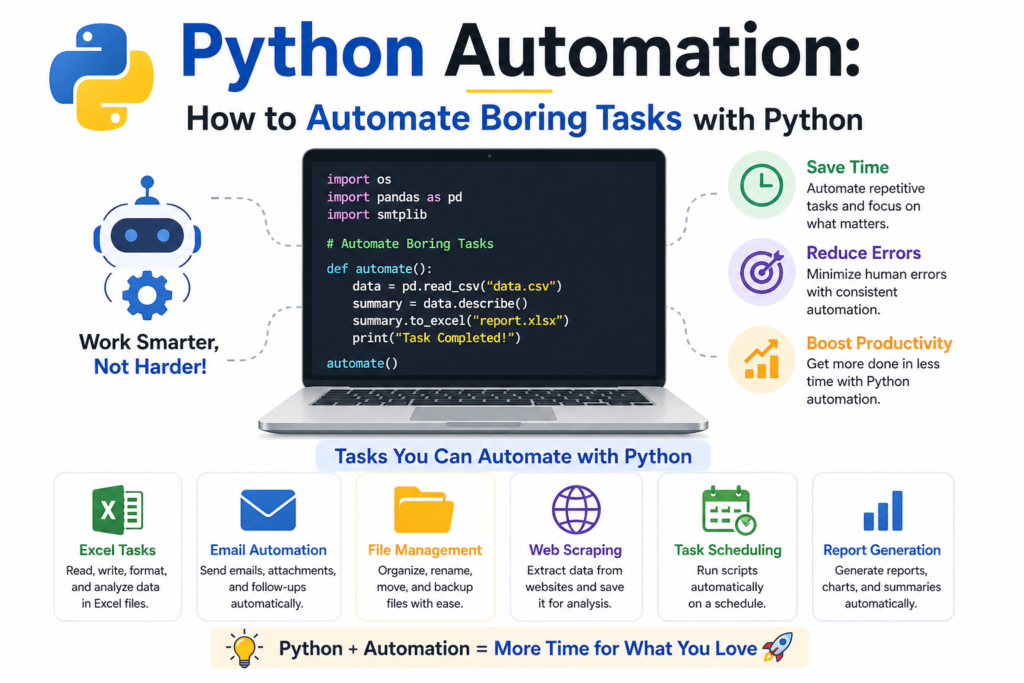
python automation is one of the most powerful skills you can learn in today’s fast paced digital world. Whether you are a student, developer, or business professional, automating repetitive tasks can save hours of time and dramatically improve efficiency.
From sending emails automatically to managing files and scraping websites, python automation allows you to focus on meaningful work instead of wasting time on routine activities. In this complete guide, you will learn how to start your journey and build practical automation scripts that boost productivity.
The Rise of Automation and Python (1990 – 2010)
Python was developed by Guido van Rossum, and over time, it became one of the most influential languages in the history of programming languages. Its simple syntax and flexibility made it perfect for beginners and professionals alike.
Automation became popular as businesses looked for ways to reduce manual work. Python stood out because it could easily handle repetitive tasks, data extraction, and script automation without requiring complex coding.
Today, python automation is widely used in industries like finance, marketing, IT, and data science.
Why Python Automation is a Smart Choice in 2025
There are many reasons why python automation is considered a smart and powerful solution.
First, Python is easy to learn, especially if you follow python for beginners resources. Even basic knowledge can help you automate daily tasks.
Second, Python offers a vast collection of tools through python libraries. Libraries like Selenium, PyAutoGUI, and Openpyxl make automation simple and efficient.
Third, Python supports multiple automation areas such as email automation, web scraping for data, and automating Excel with Openpyxl.
Finally, Python helps with workflow optimization and task scheduling, making it ideal for both personal and professional use.
Setting Up Python for Automation (2020 – 2025)
Before starting python automation, you need a proper setup.
Follow a trusted python installation guide to install Python on your system. Once installed, you can use tools like VS Code or PyCharm for coding.
Next, install essential libraries using pip. These include Selenium for browser automation, PyAutoGUI for desktop control, and libraries for API automation.
Using a clean development environment ensures smooth script execution and reduces errors.
Learning the Basics for Python Automation
To master python automation, you need a strong foundation.
Start with python syntax basics such as variables, loops, and conditions. These are essential for writing automation scripts.
Then move to python functions & modules to create reusable code blocks. This makes your scripts more efficient and easier to manage.
Understanding file operations through python file handling is also important because many automation tasks involve reading and writing files.
Types of Tasks You Can Automate
One of the best things about python automation is its versatility.
You can automate repetitive tasks like renaming files, organizing folders, and batch processing data.
You can also perform data extraction using web scraping for data. This is useful for collecting information from websites for research or business analysis.
Automation also plays a key role in bot development, where scripts perform actions automatically without human intervention.
Web Automation with Selenium
Selenium web automation is one of the most popular uses of python automation.
With Selenium, you can control a browser to perform tasks like logging into websites, filling forms, and clicking buttons automatically.
It also supports headless browser functionality, which allows scripts to run without opening a visible browser window.
This is especially useful for testing websites and automating online workflows.
Desktop Automation with PyAutoGUI
PyAutoGUI is another powerful tool for python automation.
It allows you to control your mouse and keyboard programmatically. You can automate actions like clicking, typing, and moving files.
This is useful for applications that do not provide APIs, making it a great solution for robotic process automation RPA tasks.
Automating Excel and Files
Automating Excel with Openpyxl is a common use case of python automation.
You can read, write, and modify Excel files without opening them manually. This is extremely useful for businesses dealing with large datasets.
You can also automate PDF manipulation tasks such as merging, splitting, and extracting data from PDF files.
These capabilities make Python a powerful tool for data management and reporting.
Email Automation and Communication
Email automation is another valuable application of python automation.
You can create scripts to send emails automatically, respond to messages, and manage inboxes.
This is useful for marketing campaigns, notifications, and customer communication.
Combined with API automation, Python can integrate with various platforms to streamline communication workflows.
Scheduling and Task Automation (2015 – 2025)
Task scheduling is essential for automation.
You can use schedule tasks Python libraries or cron jobs to run scripts at specific times.
For example, you can schedule daily reports, backups, or data extraction processes.
This ensures consistent performance and eliminates the need for manual intervention.
Advanced Automation Techniques
As you progress, you can explore advanced python automation techniques.
These include building bots for social media, automating cloud operations, and integrating artificial intelligence.
You can also use batch processing to handle large volumes of data efficiently.
Automation can be combined with python for data science to analyze and process data automatically.
Real World Examples of Python Automation
Python automation is used in many real world scenarios.
Businesses use it for data extraction, report generation, and workflow optimization.
Developers use it for testing applications and managing deployments.
Individuals use it for productivity hacks like organizing files and automating daily tasks.
These examples show how python automation can simplify life and improve efficiency.
Challenges in Python Automation
While python automation is powerful, it comes with challenges.
Debugging scripts can be difficult, especially when dealing with complex workflows.
Web scraping may face issues like website changes or restrictions.
Security is also important when handling sensitive data during automation.
However, with practice and experience, these challenges can be managed effectively.
Future of Python Automation (2025 – 2035)
The future of python automation looks extremely promising.
With advancements in artificial intelligence and robotic process automation RPA, automation will become more intelligent and efficient.
Python will continue to dominate due to its simplicity and strong community support.
Automation will play a key role in business growth, innovation, and digital transformation.
Frequently Asked Questions (FAQs)
What is python automation used for?
Python automation is used to automate repetitive tasks like file management, web scraping, and email automation.
Is python automation easy to learn?
Yes, it is beginner friendly and can be learned with basic programming knowledge.
Which libraries are best for python automation?
Popular libraries include Selenium, PyAutoGUI, and Openpyxl.
Can python automation help in jobs?
Yes, it improves productivity and is highly valued in many industries.
Do I need coding experience for python automation?
Basic knowledge is helpful, but beginners can start easily with practice.
Conclusion
Python automation is a game changing skill that can transform the way you work. By automating repetitive tasks, you can save time, reduce errors, and focus on more meaningful activities.
From simple scripts to advanced automation systems, Python offers endless possibilities. Whether you are improving productivity, building bots, or managing data, python automation provides powerful solutions.
Start small, practice consistently, and explore new tools. With time, you will master automation and unlock new opportunities in your personal and professional life.

