
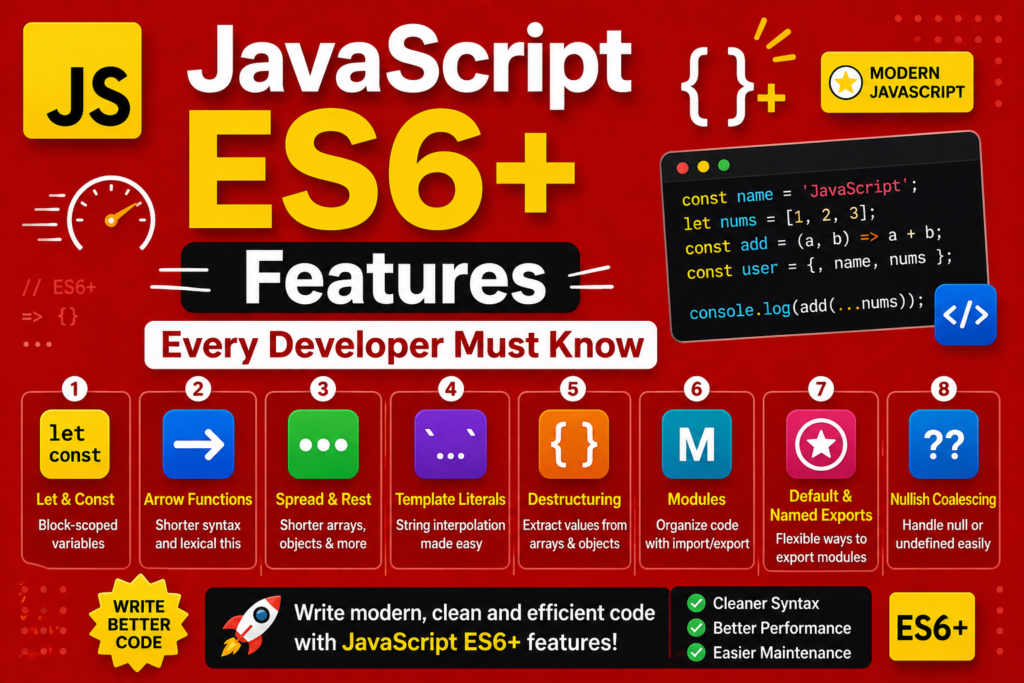
JavaScript changed forever in 2015. That year, ECMAScript 6 (ES6) was released. It was the largest update in the language’s history. The history of javascript has two eras. Before ES6 and after ES6. Before 2015, JavaScript lacked many features that developers desperately wanted. After 2015, JavaScript became a modern, powerful, enjoyable language. This excellent guide covers javascript ES6 features that every developer must know. You will learn arrow functions, destructuring, spread and rest operators, template strings, ES6 classes, modules, promises, async/await, Map, Set, and default parameters. These features are not optional. They are used in every modern codebase. Frameworks like React, Vue, and Angular rely on them. Node.js applications use them constantly. The future of javascript depends on these features. Let me start with some context. Brendan Eich created JavaScript in just ten days during 1995. The language needed modernization. ES6 was that modernization.
The History of ECMAScript and ES6 (1997 – 2015)
To understand javascript ES6 features , you need to know the history. ECMAScript is the official name of the JavaScript language specification. It is maintained by the TC39 committee. ECMAScript 1 was released in 1997. ECMAScript 2 came in 1998. ECMAScript 3 came in 1999. Then nothing major for over a decade. ECMAScript 4 was abandoned after disagreements. The language stagnated. Developers grew frustrated. They used workarounds and libraries. Then in 2015, ECMAScript 6 (also called ES6 or ES2015) was released. It was massive. It added over 20 major features. Since then, the TC39 committee releases a new version yearly. ES7 (2016) added exponentiation and array includes. ES8 (2017) added async/await. ES9 (2018) added rest/spread for objects. ES10 (2019) added flat and flatMap. ES11 (2020) added optional chaining. ES12 (2021) added logical assignment. ES13 (2022) added top level await. ES14 (2023) added array find from last. But ES6 remains the foundation. Most developers consider modern JS syntax to be anything from ES6 onward. For javascript beginner guide readers, learning ES6 is essential before touching any modern framework.
Arrow Functions => Concise and Predictable
Arrow functions changed how JavaScript is written. They provide shorter syntax. They also solve the this binding problem. The javascript functions explained earlier shows regular functions. Arrow functions are different. Here is a regular function:
function multiply(a, b) {
return a * b;
}
Here is the same function as an arrow function:
const multiply = (a, b) => a * b;
When there is exactly one parameter, parentheses are optional.
const double = x => x * 2;
When there are no parameters, use empty parentheses.
const sayHello = () => console.log("Hello");
When the function body has multiple statements, use curly braces and explicit return.
const processUser = (user) => {
console.log("Processing", user);
return user.name.toUpperCase();
};
The most important difference is the this binding. Regular functions have their own this. Arrow functions do not. They inherit this from the surrounding scope. This makes arrow functions perfect for callbacks and event handlers.
class Button {
constructor(text) {
this.text = text;
}
// This works because arrow function captures outer this
handleClick = () => {
console.log(this.text);
}
}
For javascript ES6 features , arrow functions are now the default choice for small, simple functions.
Destructuring Assignment Extracting Data Easily
Destructuring assignment lets you extract values from arrays or objects into variables. This is pure syntactic sugar but it makes code much cleaner. Without destructuring:
const person = { name: "Alice", age: 25, city: "New York" };
const name = person.name;
const age = person.age;
const city = person.city;
With object destructuring:
const { name, age, city } = person;
console.log(name, age, city);
You can rename variables during destructuring.
const { name: firstName, age: yearsOld } = person;
You can set default values.
const { country = "USA" } = person;
Array destructuring works similarly.
const colors = ["red", "green", "blue"];
const [first, second, third] = colors;
console.log(first); // "red"
You can skip elements using commas.
const [, secondColor, thirdColor] = colors;
Destructuring works with nested objects and arrays.
const user = {
name: "Alice",
address: {
street: "123 Main St",
city: "Boston"
}
};
const { address: { city } } = user;
console.log(city); // "Boston"
Destructuring is also useful in function parameters.
function greet({ name, age }) {
returnHello name,youare{age} years old;
}
greet(person);
This feature dramatically improves code readability and reduces boilerplate.
Spread and Rest Operators Modern JavaScript
The spread and rest operators use the same syntax ... but work differently based on context. The spread operator expands elements. The rest operator collects elements. The spread operator expands an array into individual elements.
const numbers = [1, 2, 3];
const moreNumbers = [...numbers, 4, 5, 6];
console.log(moreNumbers); // [1, 2, 3, 4, 5, 6]
Spread works for function arguments.
const max = Math.max(...numbers); // 3
Spread works for objects (ES9 2018).
const person = { name: "Alice", age: 25 };
const personWithCity = { ...person, city: "New York" };
// { name: "Alice", age: 25, city: "New York" }
Spread copies arrays and objects without references.
const original = [1, 2, 3];
const copy = [...original];
copy.push(4);
console.log(original); // [1, 2, 3] (unchanged)
The rest operator collects remaining arguments into an array.
function sumAll(...numbers) {
return numbers.reduce((total, n) => total + n, 0);
}
console.log(sumAll(1, 2, 3, 4, 5)); // 15
Rest can collect remaining object properties.
const { name, ...rest } = person;
console.log(name); // "Alice"
console.log(rest); // { age: 25 }
These operators increase developer productivity by reducing verbose code.
Template Strings (Template Literals)
Template strings use backticks instead of quotes. They support embedded expressions and multiline strings.
const name = "Alice";
const age = 25;
const message =Hello, my name is nameandIam{age} years old;
Expressions inside ${} can be any valid JavaScript.
const price = 19.99;
const tax = 0.08;
const total =Total: $${(price * (1 + tax)).toFixed(2)};
Template strings preserve whitespace and line breaks.
const multiline =This is line one`
This is line two
This is line three;`
console.log(multiline);
Before template strings, you used concatenation with + and \n. That was messy. Template strings are cleaner and more readable. They are now standard in all modern web standards .
ES6 Classes Object Oriented Made Simple
Before ES6, JavaScript had prototypes but no class syntax. Developers used constructor functions. ES6 introduced ES6 classes as syntactic sugar over prototypes.
class Animal {
constructor(name) {
this.name = name;
}
speak() {
console.log(${this.name} makes a sound);
}
}
class Dog extends Animal {
constructor(name, breed) {
super(name);
this.breed = breed;
}
speak() {
console.log(${this.name} barks);
}
}
const dog = new Dog("Buddy", "Golden");
dog.speak(); // "Buddy barks"
Classes support inheritance with extends. The super keyword calls parent methods. They also support static methods, getters, and setters. For object-oriented JS , classes made JavaScript more accessible to developers from other languages.
Modules (Import/Export)
Before ES6, JavaScript had no built-in module system. You used script tags in HTML or libraries like RequireJS. ES6 introduced modules (import/export) . Each file is a module. Variables are private by default. You export what other files need.
Save this as math.js:
export const PI = 3.14159;
export function add(a, b) {
return a + b;
}
export default function multiply(a, b) {
return a * b;
}
Then import in another file:
import multiply, { PI, add } from "./math.js";
console.log(PI); // 3.14159
console.log(add(5, 3)); // 8
console.log(multiply(4, 2)); // 8
You can import everything as a namespace.
import * as math from "./math.js";
console.log(math.PI);
The module system is now the standard for organizing JavaScript code. It enables scalability and maintainability.
Default Parameters Cleaner Functions
Default parameters let you set default values for function parameters. If an argument is undefined, the default is used.
function greet(name = "Guest") {
returnHello ${name};
}
console.log(greet()); // "Hello Guest"
console.log(greet("Alice")); // "Hello Alice"
Default parameters can be expressions.
function calculate(price, tax = price * 0.08) {
return price + tax;
}
Before default parameters, you used conditional checks inside functions.
function oldGreet(name) {
name = name || "Guest";
return "Hello " + name;
}
Default parameters are cleaner and more explicit. They improve coding efficiency by reducing boilerplate.
Promises Handling Asynchronous Code
Promise object revolutionized asynchronous programming in JavaScript. Before promises, you used callbacks. Callbacks led to “callback hell” with nested functions.
// Callback hell
getUser(1, (user) => {
getPosts(user.id, (posts) => {
getComments(posts[0].id, (comments) => {
console.log(comments);
});
});
});
A promise represents a future value. It has three states. Pending, fulfilled, or rejected. Creating a promise:
const myPromise = new Promise((resolve, reject) => {
const success = true;
if (success) {
resolve("Operation succeeded");
} else {
reject("Operation failed");
}
});
Using a promise:
myPromise
.then(result => console.log(result))
.catch(error => console.error(error));
Real example with fetch:
fetch("https://api.example.com/user")
.then(response => response.json())
.then(data => console.log(data))
.catch(error => console.error("Error:", error));
Promises chain cleanly without nesting. They also provide Promise.all for parallel operations and Promise.race for first completion. For asynchronous javascript explained , promises are the foundation before learning async/await.
Async/Await The Modern Way (ES8 2017)
async/await is built on promises but looks like synchronous code. It is the most readable way to handle asynchronous operations. Mark a function with async. Inside, use await before promises.
async function getUserData(userId) {
try {
const response = await fetch(https://api.example.com/user/${userId}`);`
const user = await response.json();
const postsResponse = await fetch(https://api.example.com/posts?userId=${userId}`);`
const posts = await postsResponse.json();
return { user, posts };
} catch (error) {
console.error("Failed to fetch data:", error);
}
}
The try/catch block handles errors. Without async/await, you would need multiple .then() and .catch() chains. Async/await improves code readability dramatically. It is now the preferred way to write asynchronous code in modern JavaScript.
Map and Set New Data Structures
ES6 added Map and Set as new data structures. Map stores key value pairs where keys can be any type (not just strings).
const userMap = new Map();
userMap.set("name", "Alice");
userMap.set(42, "The answer");
userMap.set({ id: 1 }, "Object key");
console.log(userMap.get("name")); // "Alice"
console.log(userMap.has(42)); // true
userMap.delete(42);
console.log(userMap.size); // 2
Set stores unique values. Duplicates are automatically removed.
const numberSet = new Set([1, 2, 2, 3, 3, 3, 4]);
console.log(numberSet); // Set {1, 2, 3, 4}
numberSet.add(5);
console.log(numberSet.has(3)); // true
numberSet.delete(2);
for (const value of numberSet) {
console.log(value);
}
These data structures are more efficient than using plain objects for certain use cases.
Additional ES6+ Features to Explore
Beyond the major features, ES6+ includes many smaller improvements. The exponentiation operator ** is an alternative to Math.pow.
console.log(2 ** 10); // 1024
Array.from converts array-like objects to arrays.
const nodeList = document.querySelectorAll("div");
const divArray = Array.from(nodeList);
Array.includes checks if an array contains a value.
const fruits = ["apple", "banana", "orange"];
console.log(fruits.includes("banana")); // true
Object.assign copies properties from source objects to a target.
const target = { a: 1 };
const source = { b: 2, c: 3 };
Object.assign(target, source);
// target is now { a: 1, b: 2, c: 3 }
String.startsWith and endsWith check string prefixes and suffixes.
const url = "https://example.com";
console.log(url.startsWith("https")); // true
console.log(url.endsWith(".com")); // true
These small features add up to significant productivity gains.
Frequently Asked Questions (FAQs)
Q1: What are the most important javascript ES6 features for beginners?
Arrow functions, destructuring, template strings, let/const, and promises are the most essential for beginners.
Q2: What is the difference between var, let, and const in ES6?
let and const have block scope. var has function scope. const cannot be reassigned.
Q3: What is the difference between spread and rest operators?
Spread expands elements. Rest collects elements. Both use ... syntax but work differently.
Q4: Do I need to learn ES6 before learning React or Vue?
Yes. Modern frameworks assume you know arrow functions, destructuring, modules, and other ES6 features.
Q5: What is the difference between Promise and async/await?
async/await is built on promises. It provides cleaner syntax for writing asynchronous code that looks synchronous.
Conclusion
You have mastered javascript ES6 features that every developer must know. Arrow functions provide concise syntax and lexical this. Destructuring extracts values from objects and arrays cleanly. Spread and rest operators expand and collect elements. Template strings enable embedded expressions and multiline text. ES6 classes make object oriented programming clearer. Modules organize code across files. Default parameters simplify function definitions. Promises handle asynchronous operations without callback hell. Async/await makes asynchronous code read like synchronous code. Map and Set provide efficient data structures. The history of javascript shows that ES6 was a turning point. The language transformed from a simple scripting tool to a professional development platform. The future of javascript continues evolving with yearly updates. But ES6 remains the foundation. Every react vs vue vs angular comparison framework uses these features. Every what is node.js application uses them. Every javascript fetch API tutorial uses promises and async/await. The future of software engineering depends on writing clean, maintainable, efficient code. ES6 features enable exactly that. Go write modern JavaScript. Your code will be cleaner, shorter, and more powerful.

