
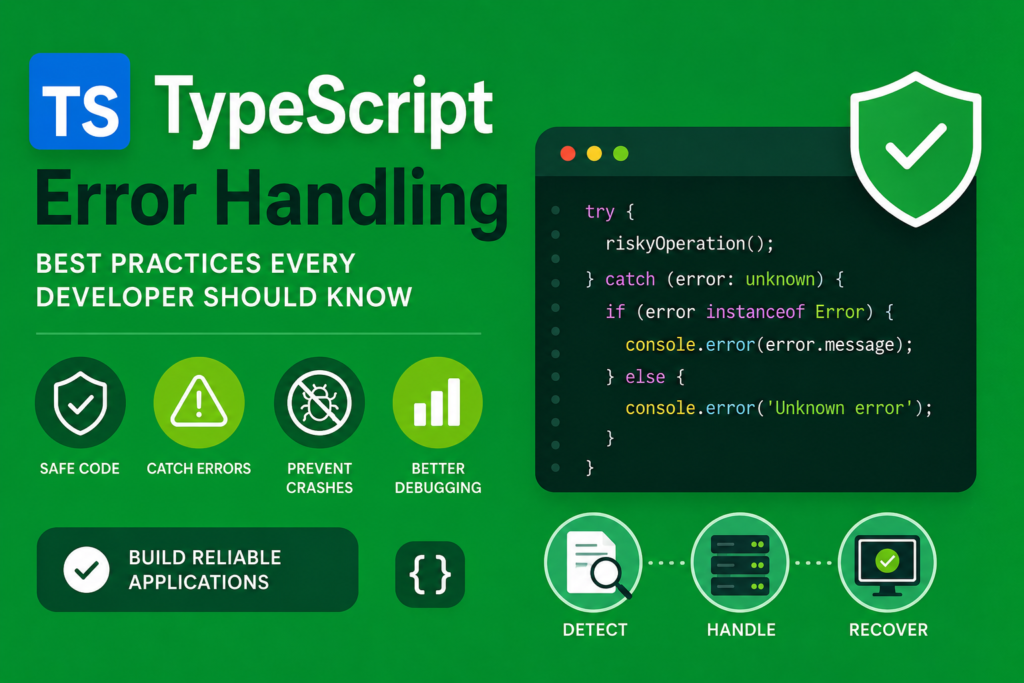
Understanding typescript error handling is one of the most important skills for building reliable and scalable applications. No matter how experienced a developer becomes, errors are always part of software development. The difference between a beginner and an expert is how effectively those errors are handled. Strong typescript error handling practices help developers improve software quality, reduce crashes, and create stable applications that are easier to maintain.
Modern applications often deal with APIs, databases, asynchronous requests, and user input. Without proper typescript error handling, even small issues can cause serious problems in production environments. TypeScript improves this process by providing type safety, defensive programming tools, and better debugging capabilities.
In this complete guide, you will learn the best strategies for typescript error handling, including try catch blocks, custom error classes, runtime validation, API error handling, and debugging techniques with practical code examples.
Evolution of Error Handling in Programming (1970 – 2026)
Error handling has always been a critical part of programming. Early programming languages relied on simple checks and manual debugging. As software systems became larger, developers needed more structured ways to manage exceptions and maintain program flow.
JavaScript introduced exception handling with try catch blocks, but its dynamic nature often caused unpredictable runtime issues. In 2012, Anders Hejlsberg introduced TypeScript, which improved type safety and compile time validation.
The typescript history shows how TypeScript evolved into a powerful language capable of preventing many errors before code even runs. Today, typescript error handling is considered an essential part of modern development.
What Is TypeScript Error Handling?
At its core, typescript error handling refers to the strategies and tools used to detect, manage, and recover from errors in TypeScript applications.
If you are wondering what is typescript?, it is a strongly typed superset of JavaScript that improves code reliability through static type checking.
TypeScript helps developers catch logic errors during development instead of runtime. This improves software quality and reduces debugging time.
Proper typescript error handling ensures that applications remain stable even when unexpected situations occur.
Understanding Try Catch Blocks
The most common technique in typescript error handling is the try catch statement.
Example:
try {
  const result = JSON.parse('{"name":"Ali"}');
  console.log(result.name);
} catch (error) {
  console.log("Something went wrong");
}
The try block contains code that may throw an error, while the catch block handles exceptions safely.
This structure improves code reliability and prevents applications from crashing unexpectedly.
Using the Unknown Type for Errors
Modern typescript error handling encourages developers to use the unknown type instead of any in catch blocks.
Example:
try {
  throw new Error("Server failed");
} catch (error: unknown) {
  if (error instanceof Error) {
    console.log(error.message);
  }
}
Using unknown forces developers to validate the error type before accessing its properties.
This improves type safety and reduces invalid assumptions.
Creating Custom Error Classes
Custom error classes are an advanced feature of typescript error handling. They allow developers to create meaningful and reusable exceptions.
Example:
class ValidationError extends Error {
  constructor(message: string) {
    super(message);
    this.name = "ValidationError";
  }
}

throw new ValidationError("Invalid email address");
Custom errors improve debugging and make stack traces easier to understand.
They are widely used in enterprise applications and backend APIs.
Throwing Errors Correctly
Throwing errors is an important part of typescript error handling.
Example:
function divide(a: number, b: number): number {
  if (b === 0) {
    throw new Error("Division by zero is not allowed");
  }

  return a / b;
}
Throwing descriptive errors improves debugging and helps developers identify issues quickly.
It also improves defensive programming practices.
Runtime Validation and Input Safety
TypeScript checks types during development, but runtime validation is still necessary because external data may be unpredictable.
Example:
function isString(value: unknown): value is string {
  return typeof value === "string";
}
Runtime validation improves application security and prevents invalid input from causing crashes.
This is especially important in APIs and user input handling.
Error Propagation in Applications
Error propagation refers to passing errors through different layers of an application until they are handled properly.
Example:
async function fetchUser() {
  throw new Error("User not found");
}

async function main() {
  try {
    await fetchUser();
  } catch (error) {
    console.log("Handled error");
  }
}
Understanding error propagation is essential for scalable applications and asynchronous programming.
Handling API Errors in TypeScript
Modern applications frequently communicate with APIs, making API error handling a key part of typescript error handling.
Example:
async function getData() {
  try {
    const response = await fetch("https://api.example.com/data");

    if (!response.ok) {
      throw new Error("API request failed");
    }

    return await response.json();
  } catch (error) {
    console.log("Failed to fetch data");
  }
}
This approach improves reliability and ensures smooth request/response cycles.
Developers working with typescript with nodejs often rely heavily on structured API error handling.
Type Guards for Safer Error Handling
Type guards help developers narrow types safely.
Example:
function handleError(error: unknown) {
  if (error instanceof Error) {
    console.log(error.message);
  } else {
    console.log("Unknown error");
  }
}
Type guards improve type safe error handling and reduce runtime risks.
They are one of the most important concepts in modern TypeScript applications.
Async Await Error Handling
Asynchronous programming is heavily used in TypeScript applications.
Example:
async function loadData() {
  try {
    const data = await Promise.resolve("Loaded");
    console.log(data);
  } catch (error) {
    console.log("Error occurred");
  }
}
Async await improves readability compared to chained promises.
Proper async error handling improves scalability and backend architecture.
Linting and Static Analysis
Linting tools improve typescript error handling by identifying issues before deployment.
Popular tools include:
- ESLint
- TypeScript Compiler
- Prettier
These tools improve software quality and help developers maintain consistent coding standards.
Debugging Best Practices
Debugging is an essential part of typescript error handling.
Best practices include:
- Reading stack traces carefully
- Logging meaningful messages
- Using breakpoints in IDEs
- Testing edge cases
- Avoiding silent failures
Good debugging habits improve long term maintainability and developer productivity.
TypeScript Error Handling in React
Frontend developers using typescript with react often handle form validation, API errors, and UI exceptions.
Example:
try {
  throw new Error("Invalid login");
} catch (error) {
  console.log("Display error message");
}
React applications benefit greatly from strong error handling strategies.
Advanced TypeScript Error Handling
Developers working with advanced typescript concepts often combine generics, utility types, and conditional types with error handling.
This creates scalable systems capable of handling complex application flows.
Advanced error handling improves reliability in enterprise level applications.
TypeScript vs JavaScript Error Handling
When comparing typescript vs javascript, TypeScript provides stronger compile time validation and safer type checking.
JavaScript allows flexibility but often leads to unpredictable runtime errors.
TypeScript reduces these risks through structured typing and defensive programming.
This makes typescript error handling more reliable for modern applications.
Future of Error Handling in TypeScript
The future of typescript looks extremely promising as more frameworks adopt stronger type systems and runtime safety tools.
Error handling will continue evolving alongside scalable APIs, cloud systems, and AI driven applications.
TypeScript will remain important in the future of software engineering because reliable applications require strong validation and structured error management.
FAQs About TypeScript Error Handling
What is TypeScript error handling?
It is the process of detecting and managing errors safely in TypeScript applications.
Why use unknown instead of any in catch blocks?
Unknown forces developers to validate error types safely.
What are custom error classes?
They are reusable error structures that improve debugging and readability.
Why is runtime validation important?
Because external data may not match expected types.
Is TypeScript better than JavaScript for error handling?
Yes, TypeScript provides stronger type safety and compile time checks.
Conclusion
Mastering typescript error handling is essential for building reliable and scalable applications. From try catch blocks and runtime validation to custom error classes and debugging tools, TypeScript provides powerful features for managing exceptions safely.
By understanding typescript error handling, developers can improve code reliability, reduce crashes, and create maintainable applications capable of handling real world challenges. As software systems continue evolving, strong error handling practices will remain critical for successful development.
Start applying these techniques today to build safer and more professional TypeScript applications.

