
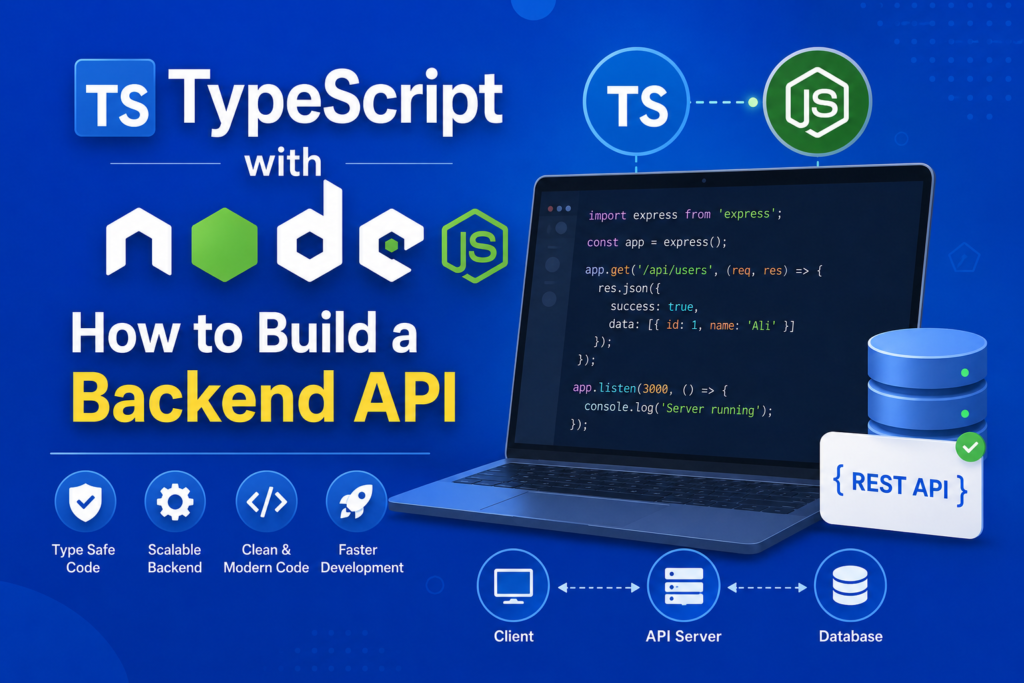
Learning typescript with nodejs is one of the most valuable skills for backend developers in 2026. Modern applications require scalable APIs, reliable server side architecture, and maintainable codebases. This is exactly why developers are increasingly choosing typescript with nodejs for backend development.
Node.js already provides a powerful runtime environment for server side development, while TypeScript adds type safety, scalability, and improved developer experience. Together, they create a modern development stack capable of handling complex backend systems, REST APIs, authentication systems, and microservices.
If you want to build secure and scalable backend applications, understanding typescript with nodejs is essential. This guide will teach you how to create a backend API using Express.js, configure TypeScript, handle middleware, manage API responses, and organize scalable backend architecture with practical code examples.
Evolution of Backend Development (2009 – 2026)
Before understanding typescript with nodejs, it is important to understand how backend development evolved. Node.js was released in 2009 and revolutionized server side JavaScript by allowing developers to use JavaScript outside the browser.
In 2012, Anders Hejlsberg introduced TypeScript, bringing static typing and advanced tooling to JavaScript. The typescript history shows how developers quickly adopted TypeScript for large scale applications.
As backend systems became more complex, developers realized that combining TypeScript with Node.js improved maintainability, scalability, and reliability. Today, typescript with nodejs is widely used in enterprise applications and modern APIs.
What Is TypeScript with Node.js?
At its core, typescript with nodejs means using TypeScript instead of plain JavaScript for backend development. TypeScript code is compiled into JavaScript before running in Node.js.
If you are wondering what is typescript?, it is a strongly typed superset of JavaScript that improves code safety and catches errors during development.
Node.js provides asynchronous programming capabilities and server side execution, while TypeScript ensures structured and maintainable code. Together, they create a powerful environment for backend APIs.
Setting Up a TypeScript Node.js Project
The first step in learning typescript with nodejs is creating a project setup.
Initialize your project:
mkdir ts-node-api
cd ts-node-api
npm init -y
Install dependencies:
npm install express dotenv
npm install --save-dev typescript ts-node-dev @types/node @types/express
Initialize TypeScript configuration:
npx tsc --initThis creates the tsconfig.json file, which controls TypeScript compiler behavior.
Learning how to install typescript correctly is important for backend development.
Understanding Project Structure
A clean project structure is essential in typescript with nodejs applications.
Example structure:
src/
 ├── controllers/
 ├── routes/
 ├── middleware/
 ├── models/
 ├── config/
 └── server.ts
This organization improves scalability and maintainability in large backend systems.
Proper backend project structure is one of the most important best practices for scalable applications.
Creating a Basic Express Server
Express.js is the most popular framework for Node.js backend APIs.
Example server setup:
import express from "express";

const app = express();

app.use(express.json());

app.get("/", (req, res) => {
  res.json({ message: "API Running" });
});

app.listen(3000, () => {
  console.log("Server running on port 3000");
});
This simple server demonstrates the request/response cycle used in backend APIs.
Express.js with TS provides better type safety and cleaner API handling.
Running the Development Server
To run your typescript with nodejs application efficiently, use ts-node-dev.
Add this script to package.json:
"scripts": {
  "dev": "ts-node-dev src/server.ts"
}
Start the server:
npm run devThis setup automatically restarts the server whenever changes are detected.
Typing API Responses
One major advantage of typescript with nodejs is typed API responses.
Example:
type User = {
  id: number;
  name: string;
};

app.get("/user", (req, res) => {
  const user: User = {
    id: 1,
    name: "Ali",
  };

  res.json(user);
});
Type safety improves reliability and reduces invalid responses.
Understanding typescript types is essential for handling API responses correctly.
Middleware Typing in Express
Middleware is an important part of backend architecture.
Example middleware:
import { Request, Response, NextFunction } from "express";

const logger = (
  req: Request,
  res: Response,
  next: NextFunction
) => {
  console.log(req.method, req.url);
  next();
};

app.use(logger);
Middleware typing improves developer experience and ensures safer request handling.
Environment Variables in Node and TypeScript
Environment variables help secure sensitive data like API keys and database credentials.
Install dotenv:
npm install dotenvUsage example:
import dotenv from "dotenv";

dotenv.config();

const PORT = process.env.PORT || 3000;
Using environment variables improves security and scalability in typescript with nodejs applications.
Building REST APIs with TypeScript
REST APIs are one of the most common use cases for typescript with nodejs.
Example route:
app.post("/users", (req, res) => {
  const { name } = req.body;

  res.status(201).json({
    success: true,
    user: { id: 1, name },
  });
});
This demonstrates JSON handling and API endpoint creation.
TypeScript improves API reliability through strict typing.
Database Models with TypeScript
Database integration is essential in backend development.
Example model:
type Product = {
  id: number;
  title: string;
  price: number;
};
TypeScript models improve consistency between the database and API layer.
These models are critical for scalable backend architecture and microservices.
Authentication and Security
Authentication is a core part of backend APIs.
Example JWT installation:
npm install jsonwebtoken bcryptTypeScript helps ensure authentication logic remains safe and maintainable.
Strong typing reduces security related bugs and improves reliability.
Async Programming in Node.js
Node.js heavily relies on asynchronous programming.
Example:
async function fetchData(): Promise<string> {
  return "Data Loaded";
}
TypeScript ensures async functions return predictable values, improving code quality.
TypeScript Classes in Backend APIs
Classes are commonly used in backend services and controllers.
Example:
class UserService {
  getUser(id: number) {
    return { id, name: "Ali" };
  }
}
Understanding typescript classes helps developers create scalable and maintainable backend services.
Generics in Backend Development
Generics improve reusable backend logic.
Example:
function apiResponse<T>(data: T) {
  return {
    success: true,
    data,
  };
}
Understanding typescript generics is extremely useful for building reusable APIs and utilities.
Deployment of TypeScript Apps
Deploying typescript with nodejs applications requires compiling TypeScript into JavaScript.
Compile the project:
npx tscRun compiled code:
node dist/server.jsDeployment is essential for production ready applications.
TypeScript vs JavaScript for Backend APIs
When comparing typescript vs javascript, TypeScript provides major advantages for backend systems.
JavaScript offers flexibility, but TypeScript improves scalability, maintainability, and type safety.
This makes typescript with nodejs ideal for enterprise applications and large APIs.
Future of Backend Development
The future of typescript in backend development looks extremely strong. More companies are adopting TypeScript for APIs, cloud services, and microservices.
TypeScript will continue shaping the future of software engineering by improving reliability and developer productivity.
Mastering typescript with nodejs today will prepare developers for the next generation of backend systems.
FAQs About TypeScript with Node.js
What is TypeScript with Node.js?
It is the use of TypeScript for building backend applications with Node.js.
Why use TypeScript with Node.js?
It improves type safety, scalability, and maintainability.
What framework is commonly used with TypeScript?
Express.js is the most common framework for TypeScript backend APIs.
Can TypeScript improve backend security?
Yes, strong typing helps reduce coding mistakes and security bugs.
Is TypeScript difficult for backend beginners?
It may take some practice, but it becomes easier with real projects.
Conclusion
Learning typescript with nodejs is one of the best decisions for modern backend developers. It combines Node.js performance with TypeScript’s type safety, creating scalable and maintainable APIs.
From project setup and Express servers to authentication and deployment, typescript with nodejs provides everything developers need for professional backend development. As applications continue growing in complexity, TypeScript will remain a critical tool for building reliable systems.
Start building backend APIs today and unlock the full power of Node.js and TypeScript together.

